Track Our Startup: Dasheroo’s New Dashboard Release is Live!

We finally got our software release for your dashboard live. Thanks to Josh, Nivi, James, Andrew & Court for an amazing job pulling this one over the finish line.

Here’s what you can expect!

Export Any Dashboard to Google Drive

This is killer. You’ll be able to export any dashboard instantly as a PDF right into any folder in Google Drive.

This is great if you want to share your dashboards with your clients or your team. All in one place all the time.

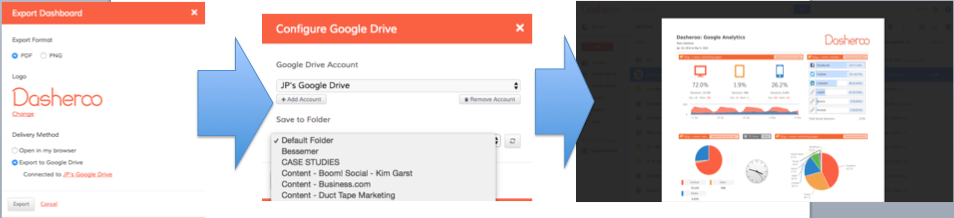
Export a Dasheroo Dashboard to Google Drive

Simply go to Export, choose Export to Google Drive, connect your Google Drive account, choose a folder and click Export, it’s that easy! You’ll need to have upgraded to Grande or above for this feature.

Scrolling Insights

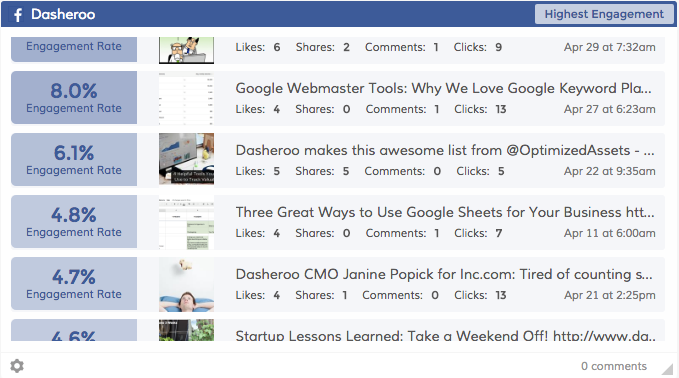
Scrolling insights for your Dasheroo dashboard

For insights like this one you can now scroll through your past posts!

We’ve been wanting this for a long time and we couldn’t be more excited about it. For those insights you want to see more information on, you can now scroll to see more posts. We’re adding this to the following insights:

  • Recent Posts (Twitter, Facebook, Instagram)
  • Highest Engagement Posts (Twitter, Facebook, Instagram)
  • Recently Sent Emails (MailChimp, more email marketing platforms to come!)

Insights Now Show Your Country Currency Code

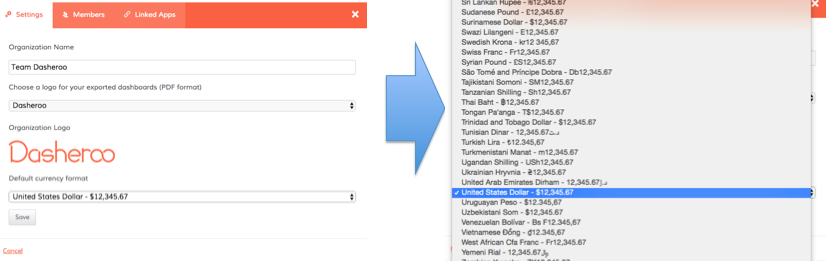
If you track metrics that have a currency value it’s important for you to track your country currency. We’ve always given you the right “currency” but we’ve always had a US Dollar sign ($) in front of it. Now you’ll be able to report on your own country currency code in your metrics.

dasheroo dashboard: new release is live

Go to your Dasheroo account settings, click on Organization and simply choose your currency from the list. Then all of your dollar related metrics will appear with your chosen currency code.

Now that this release is done, more are lined up and on the way, so stay tuned!

5 Metrics to Track for Your Beginner Marketing Dashboard

You may not be new to marketing, but the idea of using a marketing dashboard could be foreign. But don’t be scared. Don’t let a lack of knowledge keep you away from this game changing tool.

As you setup your beginner marketing dashboard and begin to use it to your advantage, pay close attention to the following five metrics.

1. Email Marketing List GrowthDasheroo data dashboard - list growth

With the opportunity to generate a large return on investment, email marketing should be a big part of what you do.

The size of your list at the present time is not nearly as important as its growth. Use your marketing dashboard to track the growth of your list, striving to increase sign-ups month over month.

And it doesn’t matter what email marketing platform you use, they’ll all give you this data.

2. Social Media Engagement

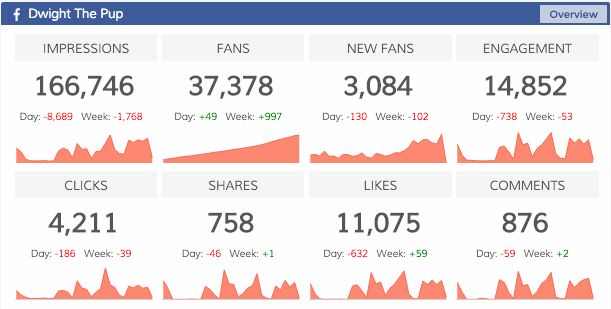
From Twitter to Facebook to Instagram, there is more to social media than posting updates dasheroo data dashboard: social media engagementand waiting for something good to happen. You need to implement a strategy that boosts engagement.

For instance with Facebook engagement includes:

  • Liked
  • Shared
  • Commented
  • Clicked

Make sure your charts are going up and to the right and if it isn’t dig in and find out why!

3. Google Analytics UsersDasheroo data dashboard: Google Anaytics userss

Traffic, traffic, traffic. A big part of your online success is based on your ability to drive users to your website.

Sync your new marketing dashboard with your Google Analytics account to track users. This shows if your traffic is increasing or decreasing, while also lending data on how visitors are finding your website.

4. Social Media FollowersDasheroo data dashboard: Twitter Followers
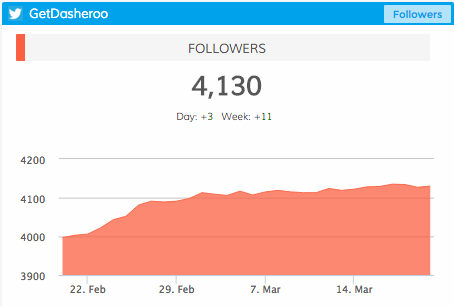
Much the same as social media engagement, it’s important to understand how many people are following you on social media. Is your reach growing?

From day to day, from month to month, you can track your number of followers on each social platform. Positive movement is what you are looking for.

5. Ecommerce

Are you selling a product (or products) online? If so, accurate data can be the difference between success and failure. A marketing dashboard can help Dasheroo data dashboard: Ecommerceanswer questions such as:

  • Where are consumers coming from?
  • How much time are consumers spending on your website?
  • How many items are they buying at a time?
  • How much is the average consumer spending?

Whether you use Shopify, Infusionsoft, Hubspot, Stripe or Paypal you can easily access this data!

Experiment and Adjust

Your beginner marketing dashboard will not look the same for long. Once you understand what you can track, once you understand how this impacts your business, you can then begin to make changes.

The most important thing right now is getting started. Sign up for Dasheroo to learn more, it’s free!

Our New Push API is Live: Why Does It Matter to Your Dashboards?

We’ve been talking about our new PUSH API for a while now, Andrew one of our most amazing developers has been bustin’ it to get this going. For people that aren’t sure what that means in our case it’s when a user wants to “push” data into our nifty-looking charts and graphs. Why is this important? In 2015 there were 1,876 vendors represented across 43 categories in marketing technology alone let alone any other SaaS category! We simply don’t have the manpower to get data from all of them for your dashboards. But there are a lot of developers in the world that could do it.

Dasheroo Push API ImageWe’re starting off by enabling a single data point (say “revenue”) on a line graph (other charts to come!).

Where Would You Find It

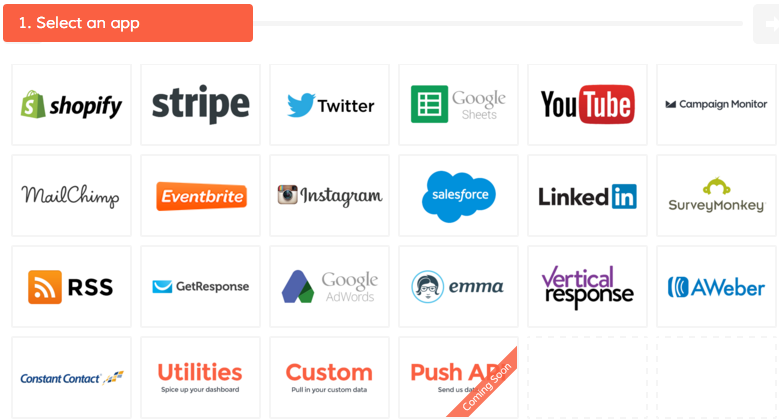
Users can find the Push API from the insight library as a separate app provider tile,

Once the insight is added to the dashboard, you’ll be given details about the URL where your data needs to be sent. Based on the data , the new insight on your dashboard will get populated.

How We’re Using Push API for You

In the coming weeks we’ll be using the Push API with a partner called Zapier. If you don’t know Zapier you should! You can go to them to do a ton of integrations with applications you use.

For example using Zapier you can have two apps you use talk to each other like:

  • Save your Eventbrite attendees into a Google Spreadsheet automagically.
  • Tweet posts from a Facebook page
  • Save Instagram photos to Dropbox

So out of the gate any application that has an “trigger” in Zapier you can bring data into a dashboard. Think Quickbooks, Zendesk, Asana and hundreds of others.

So look for a bunch of new integrations in a few weeks as we roll this out more.

5 Instagram Features To Put To Work For Your Business

In the early days of Instagram, the photo-sharing service was used primarily by individuals. This soon changed as businesses began to harness the power of the social media site.

As of September 2015, the Instagram community had reached more than 400 million users. With the company continually adding new features and functionality, its user base and reach is sure to increase in the years to come.

We try to keep a close eye on what all of our data source providers are doing here at Dasheroo. Since we provide business dashboards for our users, Instagram Analytics is a biggie when it comes to tracking how that application is doing for them.

Over the past few months, Instagram has added a variety of features to improve the user experience. Here are five that deserve your attention:

Instagram Ads

Instagram rolled out the ability to connect your account to your Facebook account and use the Power Editor in Facebook to create, target and run ads on Instagram.

Ross Simmonds wrote a fantastic how-to article for Social Media Examiner.

Much like Facebook you can drive traffic to you website, you can use video or you can get mobile app downloads. And you can use three types of ads: images, video and carousel ads like the one below.
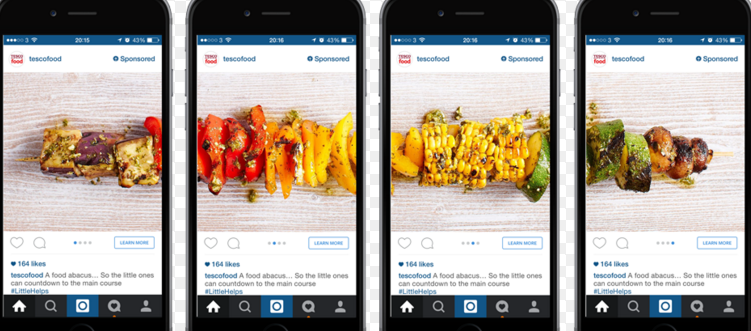
Instagram carousel ads

Test it out for your business today!

Instagram Direct Improvements

A few months back, Instagram made a few key changes to Instagram Direct. The two most notable features included:

  • Threaded messages.
  • Ability to send content from your feed as a direct message.
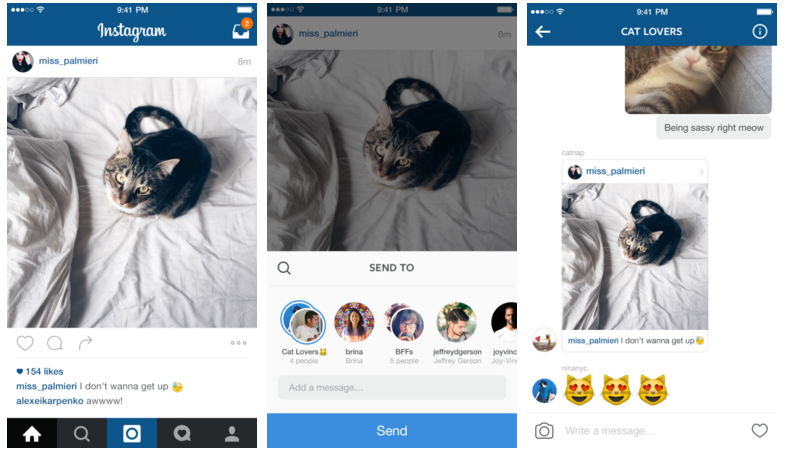
Instagram Threaded Message feature

Much like Twitter you can include @-mentions to get noticed. So if you’re posting about something great and you want to get the attention of a person, a group or even a company this is a great way to do it!

Release 7.13 Adds 3D Touch Feature

The company rolled out this feature on December 8, 2015, and it has been a big hit from day one.

On your Android smartphone, for example, you can access all the 3D Touch features provided by the app, all without 3D Touch. By “long pressing” a thumbnail you will generate an expanded view of the image, including the ability to Share, Comment, and Like.
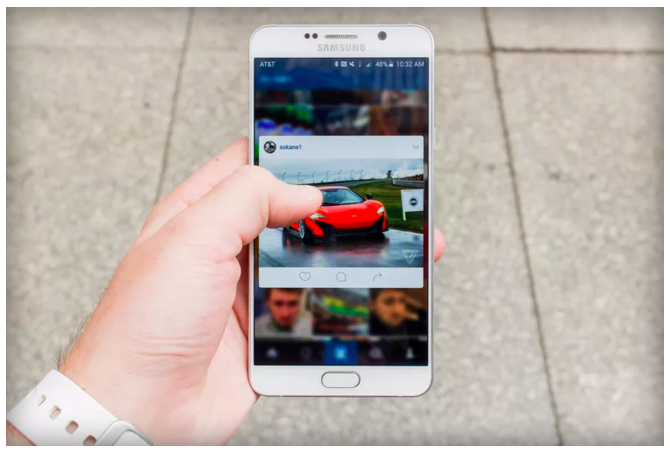
Instagram 3-d touch feature

This makes it super easy to increase engagement with your audience!


It’s (not) Hip to be Square

An update that many people consider the most important of 2015, the company announced that users could share photos and videos in landscape and portrait orientation, along with square posts. Cool especially if those friends in your posts keep getting cut out if you don’t take the picture in square mode! Annoying huh?
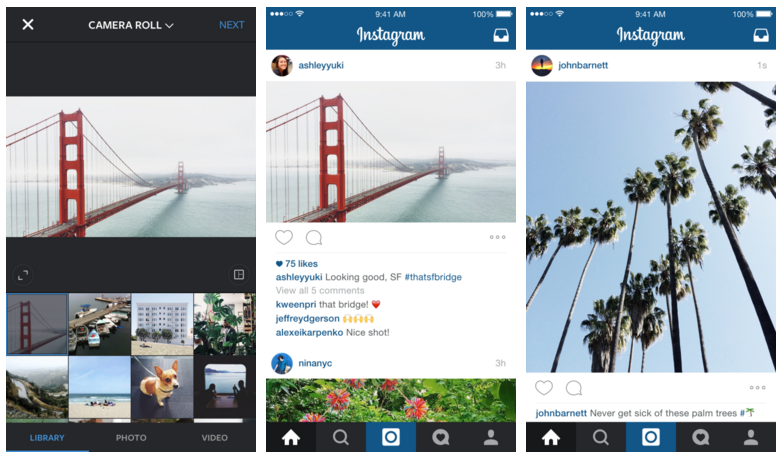
Instagram landscape feature

Now you can even use old pictures you may have taken in landscape or portrait (which is probably most of them) and expand posts on Instagram. At Dasheroo we’ve got a ton of great pictures we’d like to have posted, now it’s time!

Up until this update in August, square posts ruled the photo-sharing service. Now, it’s hard to ever imagine going back.

Boomerang

We’re going to cheat a bit on this one, as Boomerang is not exactly a new feature for Instagram. Instead, it is a standalone video app launched by the company. Simply put it stitches together photos to make a video. Pretty cool.
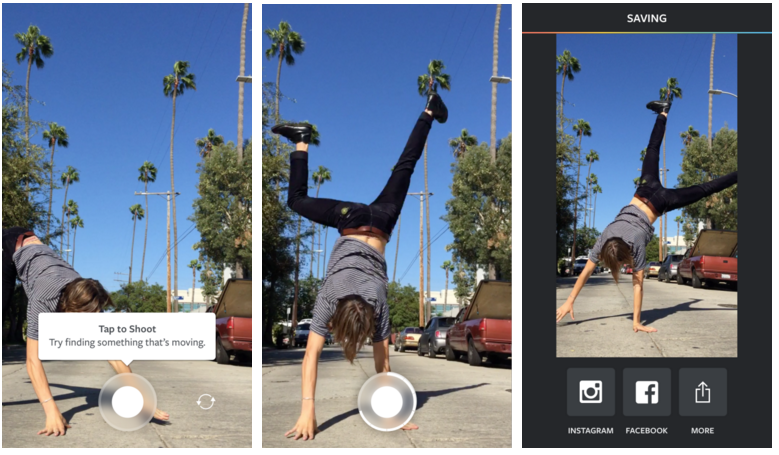
Instagram Boomerang feature

Instagram puts it best, saying that Boomerang “lets you turn everyday moments into something fun and unexpected.” If you love Instagram, this app may be one that deserves some space on your smartphone.

It’s another great way for you to engage followers with your business!

Are You Using it for Your Biz?

Now that you know how Instagram is getting better, it is time to take full advantage. If you need help tracking your Instagram success, sign up for a free Dasheroo account!

Track Our Startup: We Survived Dreamforce + On To Q4 Growth

Even though about 6 of us were rotating around a booth schedule and a bunch of meetings at Dreamforce we still managed to work on some serious new features.

Dreamforce ’15

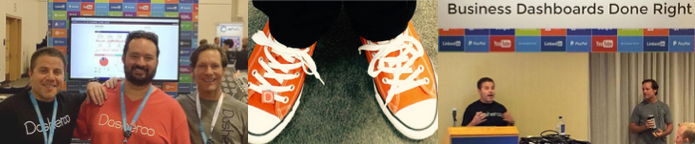
We had a great Dreamforce event here in San Francisco, thanks to everyone who stopped by and said hey! Josh and I had an 8am speaking gig in the Marriott Marquis. We thought there would be crickets at that hour but it was standing room only, great job, Josh!

Pics of Dasheroo at Dreamforce 2015.

Four days just “might” be a bit long for a trade show but we tried to make sure we got the best of our spend on this show. For those of you who don’t know, we built a “component” for Dasheroo dashboards using Lightning App builder so you can get your Dasheroo dashboards right in your Salesforce account. Right now it’s only for mobile, but hopefully soon you’ll be able to get them right on your desktop instance of Salesforce.com.

Feedback from the show attendees to Dasheroo? People were pretty happy that there was an easy, lower-cost alternative to Domo, Tableau and Wave which was cool. Some businesses even said they use us alongside those more expensive products to get a quick snapshot of how the business is really doing, then they use those tools to drill into an issue in more detail. Nice, huh?

Bonus? James came up from our Austin office so it was awesome to see him. Since we’re a distributed company we don’t get to see our peeps face to face as often as we’d like, so it was great to all who came out for it. AND everyone donned their fancy new Chucks so we were pretty happy about that. Sorry about your blisters, Jenny!


On To Q4 growth

We’re going to focus pretty hard on growth for our business and that means rapid integrations, going deeper on some existing integrations and figuring out any triggers to get ya’ll happy about paying. We’re pretty jazzed to give the service for free but when you can get the value you need out of what we provide we hope you’ll pay a modest amount for your business dashboard.

We plan on getting the team together for a day in Austin next month. It’s going to be great to see everyone and get us all on the same page as far as the milestones we really need to be hitting. Can’t wait.

If you haven’t read my Startup Lessons Learned for last week it’s pretty cool: Your Weekly Ops Meeting, you might need to revisit it! I’ve also got an article on Business.com entitled: Help is On The Way: 5 Easy Things To Automate in Your Business.

We’ve got our monthly board meeting to get ready for next week and a ton of catching up this week so I’ve gotta run!

Track Our Startup: Dreamforce ’15 Countdown is ON

We’re in release heaven here in Dasheroo. In just a month we’ve released PayPal, Stripe, an iOS app plus a TON of under-the-hood much needed stuff that you don’t see but it makes the expectation you have the things should just work, happen.

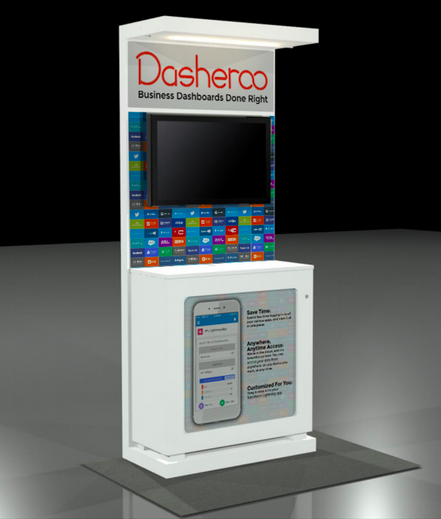
Dasheroo's Dreamforce booth 2015.15 Days to Dreamforce 15 (#DF15)

We selected our booth (ok “pod”) right next to MixPanel and VistaPrint at Salesforce.com’s annual event here in San Francisco! And you can bet we’re wearing our orange! We’ll be demoing something pretty nifty at DF15 so stop by if you’re there. You can get free expo hall passes here we’re told.

Upcoming Dashboards and Insights

We’re hoping to add to our ecommerce-billing-payments dashboards with a Shopify dashboard in the coming weeks. So those of you selling stuff and using this great tool for your shopping cart will be able to see your metrics.

We’re diving back into our Google Analytics Dashboards and coming up with insights for Google Analytics E-commerce Insights. We’re sticking with the question “how much am I making off of my marketing” dashboards. Following onto that will be Google Analytics Campaigns and Goals insights. Now you’ll be able to see right from Dasheroo if all of those efforts you’ve been working on are paying off in terms of sign ups or cold hard cash!

My new scintillating business.com article is out entitled Who Are You? Why Ignoring Your About Page is a Terrible Idea and Janine wrote her new Inc.com article, 3 Ways to Move Your SEO Needle.

Talk to you in a week for more of your business analytics updates!

Why Your Inbox is Your Social Media Marketing Hub

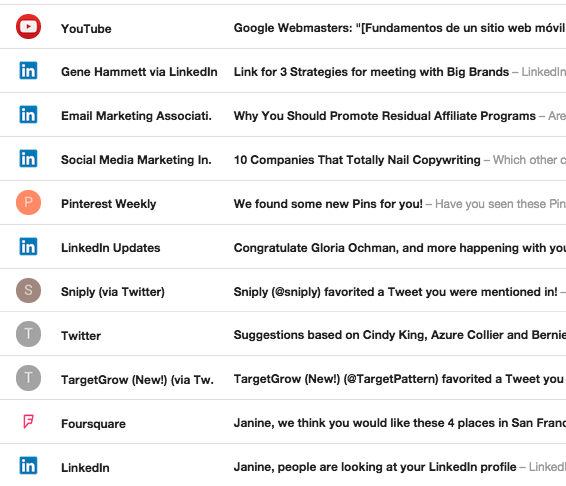
Our inbox is NUTS with social network emails!

Our inbox is NUTS with social network emails!

We just got back from Social Media Marketing World #SMMW15, and it was great. We met a ton of people and learned a bunch. But we started to think about how old school email still plays a huge role in social media marketing even WITH all of the social media marketing we’ve got.

  • On LinkedIn, if you send an inMail or a connection request an email is sent to your personal inbox. You might not check LinkedIn but a few times a week but you’re checking your email all the time.
  • On Twitter if someone connects with you, favorites or RT’s one of your Tweets, guess what? You get an email! Then from that email you can follow that person back. One of the great ways to get in front of someone for just little work is just “favorite” their Tweet. They’ll also give you suggestions in your inbox for who to follow, thanks Twitter!
  • Pinterest lets you know if one of your Facebook friends joins Pinterest, they constantly mail you with suggestions of what your friends are pinning, or if any of your friends pins something to your board.
  • Instagram will give you email notifications if someone Likes or Comments on your photos if you set it up that way.
  • YouTube will email you when someone subscribes or when a channel you subscribe to uploaded a new video.
  • Google+ will tell you when someone has added you or remind you if you’ve been invited to an event.
  • Facebook, well, they just want to own the world don’t they ?

Hey maybe we’re biased because we love email and founded and worked at VerticalResponse but hey, you can’t disregard that the medium is still rockin’.

Track Our Startup: Instagram Business Dashboards + More!

Instagram business dashboards are live

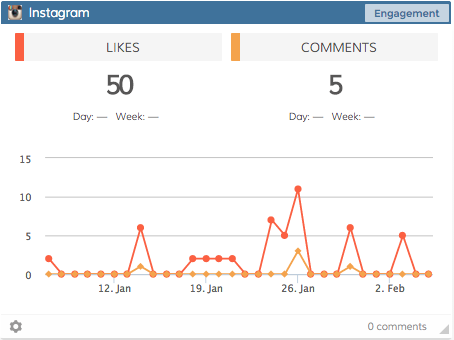
We’ve got Insights for all of your Instagram metrics!

We released Instagram for your business dashboards and we’re stoked! You’ll get an overview, follower numbers, Likes, comments and more. Go check them out and add them to your dashboards.

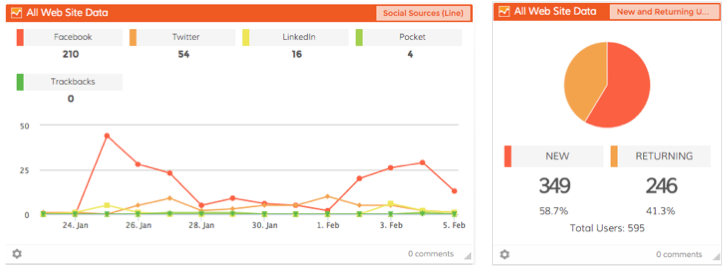
We released a few new Insights for your Google Analytics Dashboards, too. You’ll see Social Sources as a line graph and New vs. Returning Users as a pie chart, fun!

Working on Stuff…

We’ve been wrestling with Facebook a bit. Some of their data is returning to us wonky so we needed to fix the Gender graph. Also New Fans are currently one day behind, we’re working on making that an up-to-the-hour update. Sorry about that.

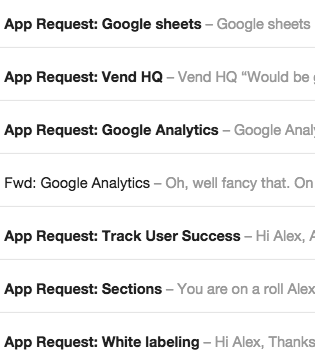
Our email inbox runneth over with new app requests!

Our email inbox runneth over with new app requests!

We’re also working on giving you more of a custom date range feature so you’ll be able to choose date ranges outside of 30 days. Hopefully we’ll slowly roll that feature in the next few weeks.

We’ve been getting more requests for new Apps! We love this so keep ’em coming.

We’ve reached 930 Users and we’re not technically “live” yet, this is awesome. That coupled with over 13,300 Facebook Likes and over 2,500 Twitter followers, we couldn’t be happier. Thanks for all of the social love everybody!

Sheets!

Our dev team is hard at work building out our upcoming Google Sheets integration. This one will be great since there are so many different ways people use Sheets for their business. Can’t wait to get this one live and into your hands since it’s been a very popular feature request.

The whole team has a meeting with a really awesome VC this week, it’s the 2nd one! He’s interested in coming into the round that we’re working on now. We’ve also got some mad love from friends and family so we’re pretty excited about that part too.

Plus, we finally got listed on the Constant Contact Marketplace, and the Google Analytics Partner site and we’re already getting new Users!

New Release: Instagram Business Dashboards are Here!

We’re excited to announce that we’ve just released the #1 MOST REQUESTED APP BY ALL OF OUR USERS; INSTAGRAM BUSINESS DASHBOARDS! Sorry for the brief scream it’s just so supercalifragilistcexpialidocious!

New Instagram business dashboardsWhat do you get?

  • Overview – Total number of Followers, Following and Posts per day (line graph)
  • # of Followers (line graph)
  • # of Following (line graph)
  • # of Posts (line graph)
  • Engagement # of Likes and Comments (line graph)
  • List of 5 highest engagement posts
  • List of 5 most recent posts

Get your Free Dasheroo account (or login) to see it in action!

But wait there’s more…

We were also able to get a few more Insights in there for your viewing pleasure. In your Google Analytics dashboards you can now get a line graph of Social Sources and a pie chart of New and Returning Users. We also intro’d a few new colors into our graphs that make it easier for you to see.

Enhanced Google Analytics business dashboards

There you have it, cheers!

5 Simple Ways to Start Using Instagram for Business

Instagram is a ginormous social network and as of right now has hundreds of millions of users! Still dwarfed by Facebook’s way over 1 billion user mark, it’s still an awesome social network you might consider adding to your arsenal of advertising channels to grow your business.

But how would your company use Instagram to help you grow? Isn’t it for skateboarding stunts and puppy shots? The reality is that any business can use Instagram as another way to reach new audiences.

So here are 5 things to consider when you put Instagram to work for your biz:

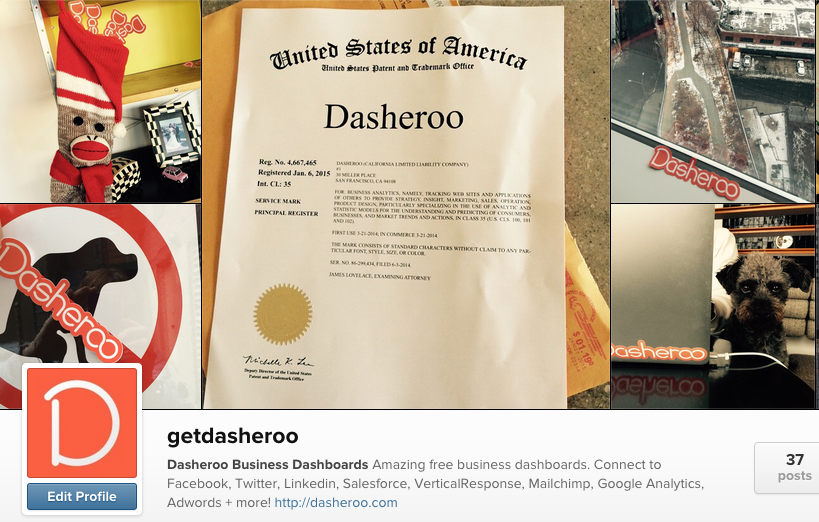
5 ways to use Instagram for Business: Dasheroo's Instagram page

At Dasheroo we combine what’s happening behind-the-scenes like our Trademark with a bit of sticker fun!

Content

What do you post to Instagram? Where do you begin? How about taking photos of employees working, having fun, your place of business, food you’re serving, a party you’re having or an event you’re hosting. Use some really creative filters to make it look even more interesting.

Instagram is a social network where you shouldn’t be too aggressive trying to “sell” a product or service, a healthy mix of fun mixed with your product or service updates would be a good start. At Dasheroo we have fun stickers we use in our photos in very fun and interesting places all over the world, and we mix those up with pix of screenshots of our upcoming product releases. It’s a great combo!

Fun

Mixing up the fun with your business is essential with Instagram, you want to get your name out there while wanting your followers to have fun. Go ahead and take some fun shots, people using your product or wearing your gear and you’ll be surprised at how many people will like your shots.

5 ways to use Instagram for business

Lagunitas does a great job mixing pleasure with business, but do they follow others? No! 🙁

Follow!

Following people on Instagram starts to get your name out there. You might want to start out by searching for the same people you follow on Facebook and Twitter and follow them on Instagram. Like their photos and comment on them. You also want to follow those who follow you. Check back every day or two and make sure you’re up to date following folks. This is how you’ll get noticed!

Publish

You’ll want to make sure when you publish to Instagram you also publish to Facebook (after all they own Instagram), Tumblr and any other social network you can get mileage out of. And it’s not like Twitter, no need for posting every day, or multiple times a day which actually takes the heat off a little ?

Hashtags

Make sure you’re using all of the hashtags you think will get you noticed by the audience you want to get in front of. If you’re using hashtags for Twitter and Facebook, use the same ones for Instagram. You might even consider creating a hashtag of your own! Watch out though, if you go too crazy (over 30 hashtags!) your post won’t make it to Instagram. Who has the time?

Instagram for business can be great so set it up and try it for a bit, but make sure you’re putting all of these ideas to work!