With the help of Google Sheets, it’s easier than ever to create, edit, and collaborate online.
While many people use this free service to create nothing more than simple spreadsheets, others have come to find that it’s much more powerful than that. This is particularly true if you decide to track and chart KPIs from Google Sheets within your Dasheroo dashboard.
If you’re having a difficult time understanding how Google Sheets and Dasheroo can work together, here are three ways you can synchronize the two applications:
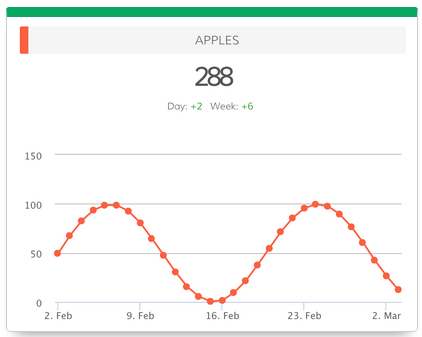
1. Single Metric
With a Dasheroo Google dashboard, you can track data for a specific cell within your spreadsheet. An example of this would be tracking the number of sales calls that you (or a team member) make in a particular day.
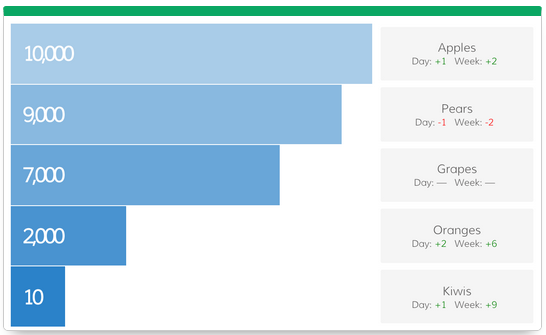
2. Bar
Are you looking for a way to better track and compare two or more metrics? This is where the vertical bar chart comes into play.
Tracking your metrics the old fashion way is nothing more than a waste of time, money, and resources. A vertical bar chart can bring your data to life.
3. Leaderboard
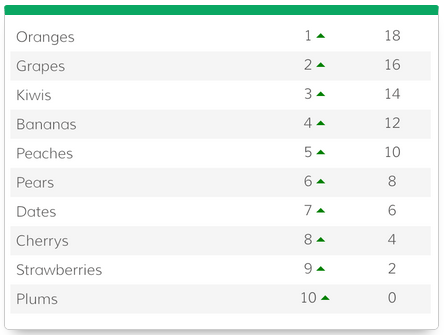
Here’s how we define this:
“Select two rows or columns to track your metrics in a dynamic leaderboard chart”
Think about the many ways you can use this. Maybe you want to track the performance of your sales team. Or maybe you’re looking for a better way to track the sales of particular products. A leaderboard may be the solution you’ve been seeking.
Conclusion
The way you track and chart KPIs could be the difference between success and failure. Do you really want to take the risk of making a mistake?
If you’re already using Google Sheets – and there is a good chance you are – it’s time to bring this into your Dasheroo dashboard.
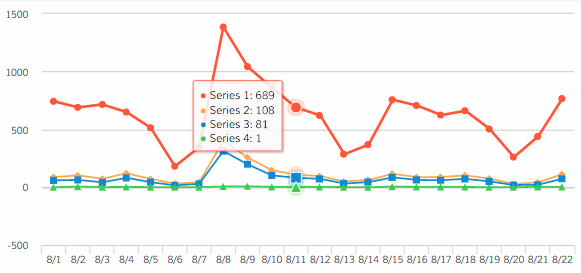

 Thanks to a HUGE mention in a Social Media Examiner article entitled: How to Monitor Multiple Social Media Metrics in a Single Dashboard, we got hundreds of users, a ton of quality leads (Mimi had 8 demos yesterday!) and we’re half way to our new customer goal and it’s only the 10th. Thanks Brandon Olson! He’s the Content Marketing Manager at