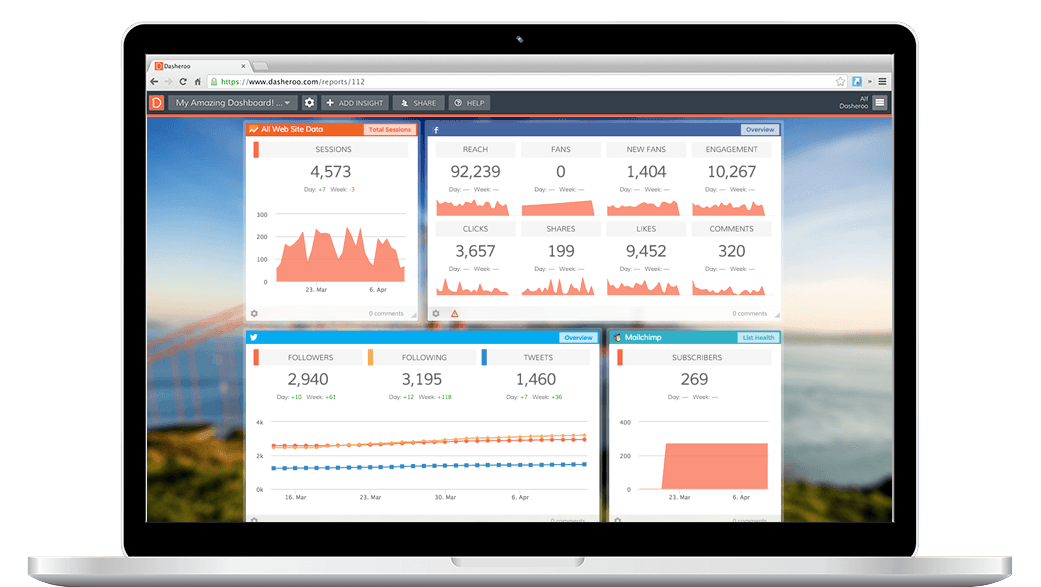
Track Infusionsoft CRM analytics right within your Dasheroo data dashboard! Add key CRM, sales and marketing insights from Infusionsoft right alongside your social media marketing and website analytics KPIs to one great-looking dashboard.
Want to see how your e-commerce sales or subscription business is doing? How about who your best salesperson is this week? Combine that with your website traffic from Google Analytics and your social media followers and you've got one great set of KPIs to view to get an up-to-date snapshot of how your business is performing.
Best of all it's all in one place, Dasheroo.
Available Infusionsoft Dashboard Insights
Overview
View the overall performance of your Infusionsoft account.
Top Sales Representatives
View the sales representatives who contributed most to revenue in the given time period.
Opportunity Pipeline
View a funnel insight of the number of opportunities in different sales stages.
Opportunities by Sales Representative
View the number of opportunities currently being worked on by different sales representatives and how it is trending.
Opportunity Timeline
View the number of days opportunities stay in each of the different sales pipeline stages.
Total Sales
View the revenue generated by different opportunities and how it is trending in the given time period.
Contacts
View the total number of contacts added to your Infusionsoft account in the given time period and how it trends.
Contacts By Tags
View the number of contacts in your Infusionsoft account filtered by tags and how they are trending in the given time period.
Revenue vs Refund
Compare your Infusionsoft revenue with your refunds for the given time period.
Subscription Revenue
View the revenue generated by subscription plans in your Infusionsoft account.
Subscription Revenue by Plan
View the revenue generated by subscriptions to specific plans in the given time period.
Opportunity Revenue Forecast
View the forecasted revenue for opportunities and how it is trending in the given time period.
Ecommerce Overview
View a snapshot of your ecommerce site's performance.
Lead Sources Leaderboard
View a leaderboard report of all lead sources in your Infusionsoft account ranked by number of opportunities.
Products Leaderboard
View a leaderboard report of the products that contribute to most revenue in the given time period.
Contacts by Lead Source
View a trending line of contacts filtered by different lead sources.
Best Revenue Days
View a report of the days when your business generated the most revenue in the given time period.
Sales by Lead Source
View the total sales filtered by different lead sources and how they are trending.
Campaign Funnel
View how contacts move through the different steps of a selected campaign.
Failed Transactions
View failed transactions along with the reason for failure within the given time period.
Goal Completions
View the number of goal completions for a specific goal within a campaign, and how it trends in the given time period.
Get Your Free Dasheroo Account!
- No limited-time trial periods — Dasheroo is FREE!
- No training or complicated implementation
- Quick set-up with ready to go dashboard templates
- Powerful, easy-to-use, and fun!