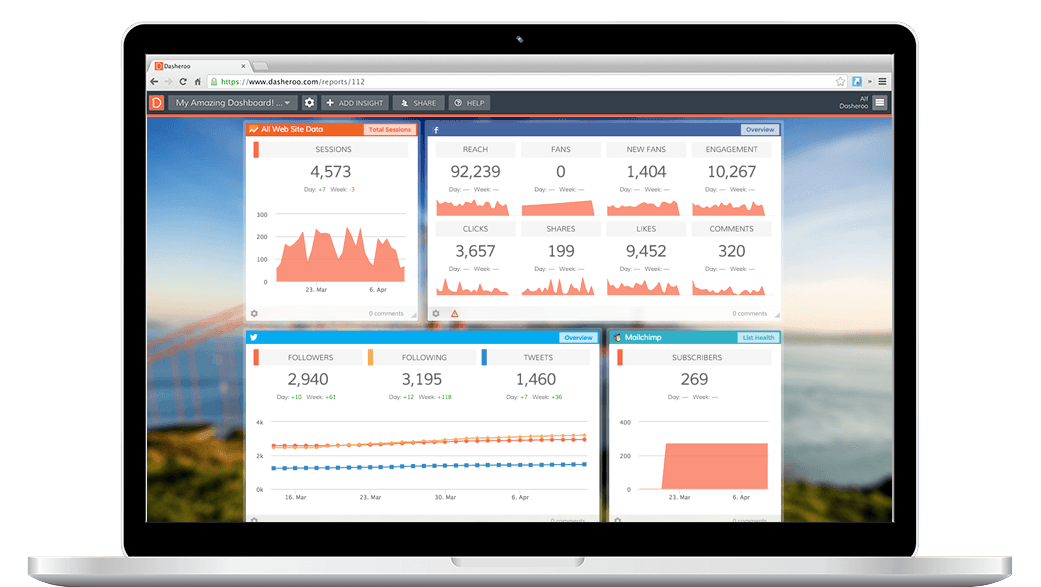
Track your Twitter analytics right within your Dasheroo data dashboard! Add key Twitter insights and measure KPIs in your real-time social media dashboard.
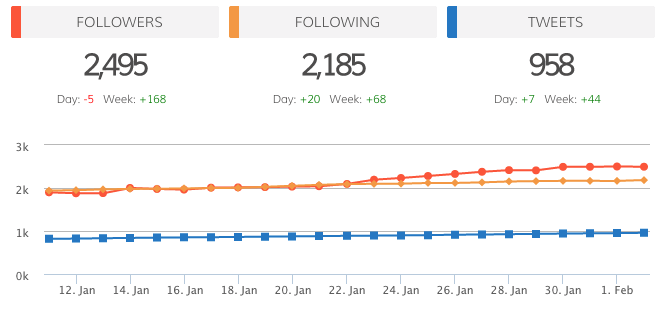
With your Twitter analytics dashboard you can view your total number of followers. If your number of Followers were slowing down, it might be time to get more active on Twitter, follow more people and Tweet more. When you do this people will follow you and view your Tweets.
Conversely, if you saw that you got a ton of new followers on a particular day, head on over to your Dasheroo Recent Tweets insight or Highest Engagement Tweets insight on that same dashboard and check out the content you posted on that day, then post similar content or Tweet it again.
Dasheroo enables you to track all of your Twitter analytics in one free dashboard.
Available Twitter Dashboard Insights
Overview
View your total number of Twitter followers, following and Tweets by day.
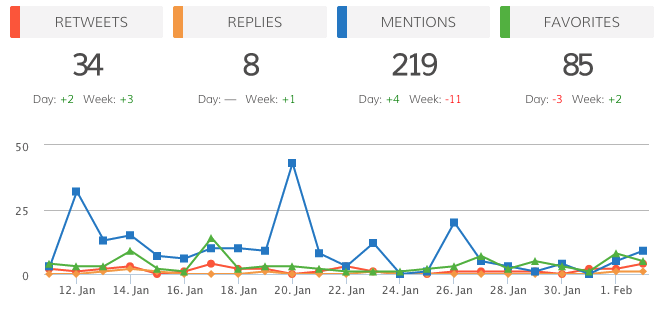
Engagement
View the Tweets with the highest engagement rate. Engagement rate = Replies + RT's ÷ total followers.
Recent Tweets
View your most recent Tweets and the engagement rate for each Tweet. Engagement rate = Replies + RT's ÷ total followers.
Highest Engagement
View the Tweets that generated the highest engagement rate. Engagement rate = Replies + RT's ÷ total followers.
Amplification Rate
View the rate at which your followers share your Tweets with their followers by day. Amplification = Number of RT's per Tweet.
Followers
View the total number of followers by day.
Following
View the total number of people you are following by day.
Tweets
View the total number of Tweets you've sent by day in a given time period.
Competitor Activity
Track the number of new followers your competitor's Twitter account has and compare it your Twitter followers in the given time period.
Get Your Free Dasheroo Account!
- No limited-time trial periods — Dasheroo is FREE!
- No training or complicated implementation
- Quick set-up with ready to go dashboard templates
- Powerful, easy-to-use, and fun!