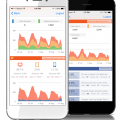
We realize we release stuff fast, heck sometimes we don’t even know our amazing engineering team released a new feature. So we’ve got a helluva job keeping up with letting you know what’s available. The “Org” feature is really an amazing tool that you can use within Dasheroo to manage separate data dashboards and KPIs (key performance indicators) for multiple teams or groups.
It’s great if you:
- Are an agency or manage groups within a company who wants a single log-in to manage multiple clients
- Don’t want other teams or clients to see each other’s dashboards
FYI: You need to have the Venti package to have 2 different orgs under the same account. If you want more than 2 orgs you need to email us at [email protected] for pricing!
So how do you create separate orgs?
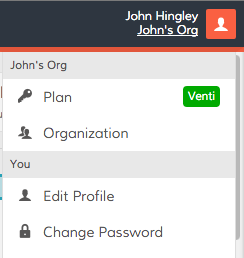
If you’ve got a Dasheroo account you’ve already got one Org by default. To create another simply click on the upper right hand corner of your Dasheroo account and click Plan.
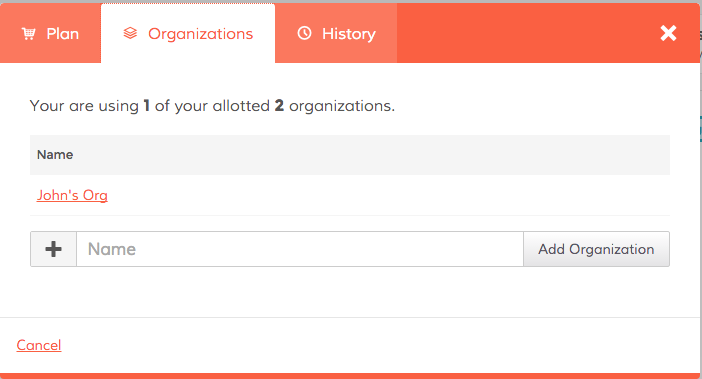
Click Organizations and enter a new name for your team:
Now you can select New Dashboard from the pull down menu in the upper left hand corner and begin to create your new dashboard you want to share with a specific team.

Now it’s time to share!
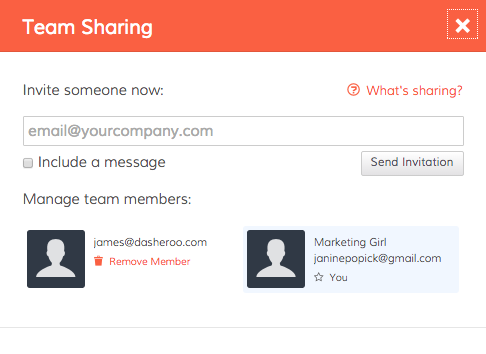
Simply click on the Share link in the Nav Bar and click on Team Sharing.

Now you can invite people to your org to see all of the associated dashboards!
Things to note:
If you invite someone to an org, they can see all of the dashboards and insights in that org. If you’ve got more than one org and you only invite a given person to a particular org they will not see any other orgs they’re not invited to.
If you want to limit the number of data dashboards certain people see you’ll need to create a new org to do that.
As of now you can not “lock down” insights or dashboards so anyone you invite can move insights around, create a new business dashboard (or many), add insights and connect with applications. Very very soon we will release tools to prevent this.
This is a pretty powerful tool only to get more powerful, enjoy!