It can be so frustrating to get your reports from all of the social apps that are driving traffic to your site which is exactly why we started Dasheroo for business dashboards, but it can be equally frustrating to “manage” how to post, what to post, who to follow and who not to follow on Twitter, can’t it?
So in an effort to try to get into a bunch of apps and make heads and tails out of it all we will break down how we use Twitter apps to manage it all. Here’s a day in the life of Twitter and @GetDasheroo.
We start with our own business dashboard at Dasheroo to see at a high level what engagement rates were on specific posts, what amplification rates are and what is resonating with our following. Then on to the apps!
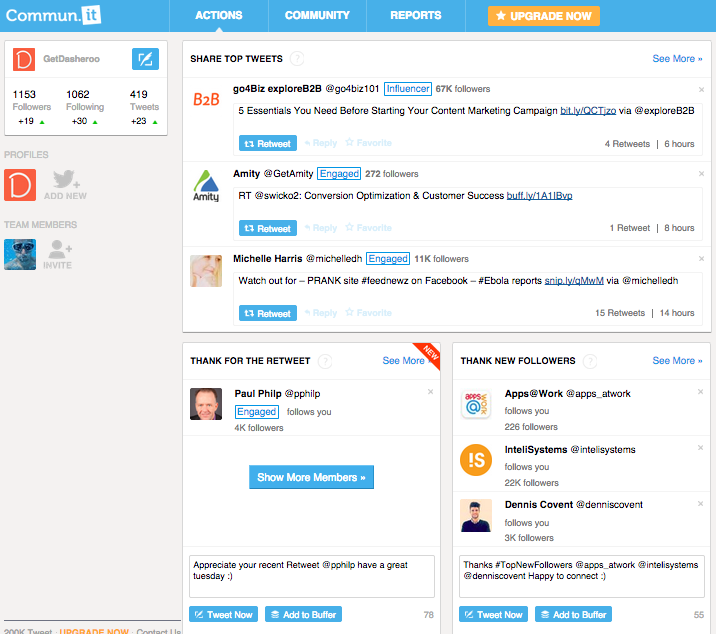 We love this tool. We go to it first in the morning to see what our to-do Twitter list is.
- Tells you to thank people for following and pre-fills in a Tweet
- Recommends #followFriday people and pre-fills in a Tweet
- Tells you who to follow
- Tells you who to RT by “engaged or influencer”
- You see who you might want to unfollow
We get some great RT’s when we thank people and RT some Influencers.
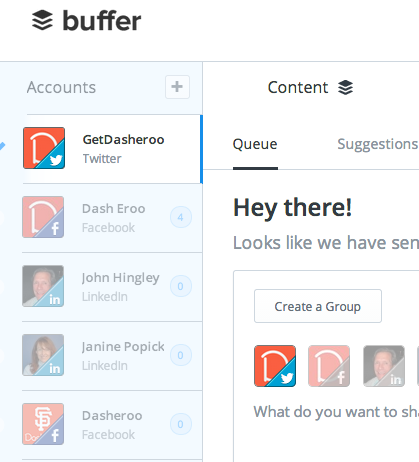 This app loads up Tweets for the day or for a few days out. You should download the Chrome extension so that when you’re on any site and you want to retweeet or post to Facebook you can load it into Buffer and you’ll have some time between posts to do so. We’ve written about them before.
- Schedule a Tweet for a specific time or let the app “buffer” them for you
- Add your Twitter, Facebook, Linkedin accounts
- You can select by post which social networks you want to post to
- Schedule a bunch in advance
- Go back to older blog posts and revive them with Buffer
- Use the analysis from Followerwonk to let you know when you’re follwers are looking at Twitter
We use it to “fill the tank” of Tweets in a timely fashion so we don’t overwhelm our followers and give them timely and relevant information.
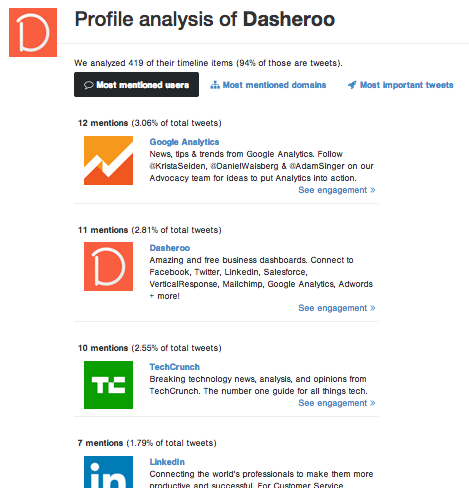
This is great to do once a day to see what’s happening in the Twittersphere and what you need to keep an eye on. We’ve written about them here.
- What your competitors do – Most important Tweets, most mentioned domains
- Who follows them – You can follow their best followers
- Who your competitors follow
- Analyze your own followers
- When your followers are active
We use it to keep an eye on who is following our competitors, people who write about our industry and follow them!
There you have it, our recipe for Twitter success at Dasheroo.