New Release: Why You Might Need a Push API to Track KPIs

Dasheroo Push API for tracking internal KPIsOk, this won’t take too long to sink your teeth into why the Dasheroo Push API might be just the thing you need to keep track of ALL of your KPIs in one dashboard.

And if you’re a Dasheroo user we know you love using Dasheroo to connect to the dozens of apps we integrate with. But we know you might have other custom data that you also need to have visibility into on your dashboard. If so, the Dasheroo Push API can help out.

What’s a Push API?

Push API is a powerful way to connect any internal data to Dasheroo and convert your data into useful visualizations on your dashboard right alongside all of the other KPIs you’re tracking from Google Analytics, Facebook and perhaps Shopify!

So for instance you might want to track KPIs for:

  • Your internal sales system so you can see how any social media is working to drive sales
  • Your internal sales system so you can see if there are any discrepancies with your PayPal, Shopify, or Stripe sales.
  • Your number of new customers from your internal systems
  • Error tracking on your website or database

On top of this you want your stats updated FAST and furiously. And you can have your KPIs updated new (starting from 0) each day or have them continuously updated. Cool huh?

Currently Dasheroo has users users who’ve created dashboards that combine Push API insights with a selection of over 500 current insights we offer from 35 applications. But we also have users who’ve created Push API-only dashboards and are using Dasheroo as a pure visualization tool. Obviously we’re happy to support any and all users!

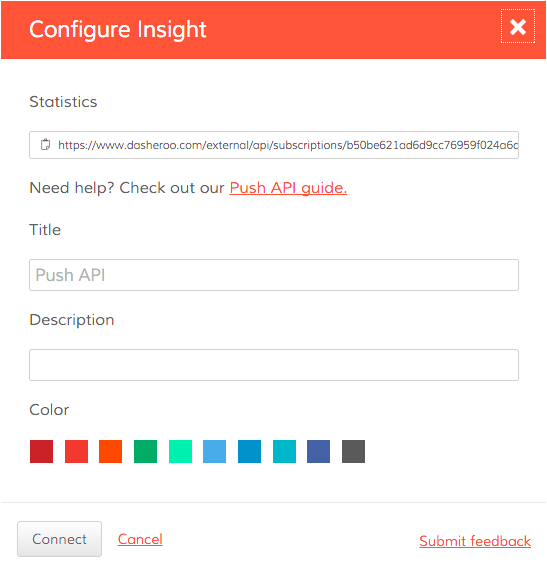
Setting up the Push API for your business is simple; all you need to do is send the data you want to visualize to a unique URL provided by Dasheroo and we will take care of the rest.

How to set up the Dasheroo Push API.

P.S. Looking for even more ways to get custom data into your dashboard? Check out our Zapier integration!
New Release! Google Analytics Goals + Killer Mashups

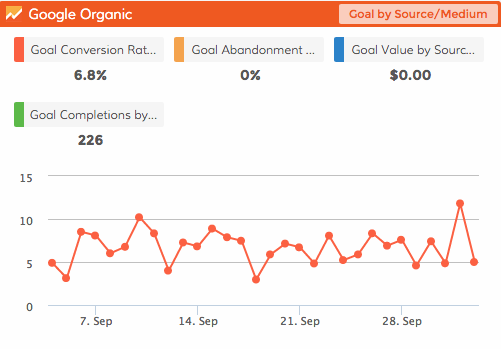
Dasheroo Google Analytics Goals Dashboard

Dasheroo’s new Google Analytics Goals dashboard. We’re tracking our own conversion rate to sign up!

In an effort to go deeper into current integrations we have for our data dashboards we’ve got an awesome release for your Google dashboard. We just released Google Analytics ecommerce dashboards and now we’re excited to announce we released Google Analytics Goals for you to track. Here are the new insights you can connect to your Dasheroo data dashboard in no time!

  • Goal by Source – View the conversion rate for a Goal by a given Source and how it trends in the given time period. According to Google Source means every referral to a web site has an origin, or source. Possible sources include: “google” (the name of a search engine), “facebook.com” (the name of a referring site), “spring_newsletter” (the name of one of your newsletters), and “direct” (users that typed your URL directly into their browser, or who had bookmarked your site).
  • Goal by Medium – View the conversion rate for a Goal by a selected Medium in the given time period. According to Google, Medium is every referral to a website also has a medium. Possible medium include: “organic” (unpaid search), “cpc” (cost per click, i.e. paid search), “referral” (referral), “email” (the name of a custom medium you have created), “none” (direct traffic has a medium of “none”).
  • Goal performance by Source/Medium – View the conversion rate for a Goal by a selected combination of both Source and Medium and how it trends in the given time period. It’s great to combine both source and medium so you can have them all in a single menu to choose from.
  • Goal performance – View the conversion rate of a selected goal and how it is trending in the given time period.
  • Goal comparison – View a pie chart comparing goal completions of the different goals in your Google Analytics account.
  • Goal completions vs. Goal abandons – View a pie chart comparing the Goal Completion Rate and Goal Abandonment Rate for a particular Goal.

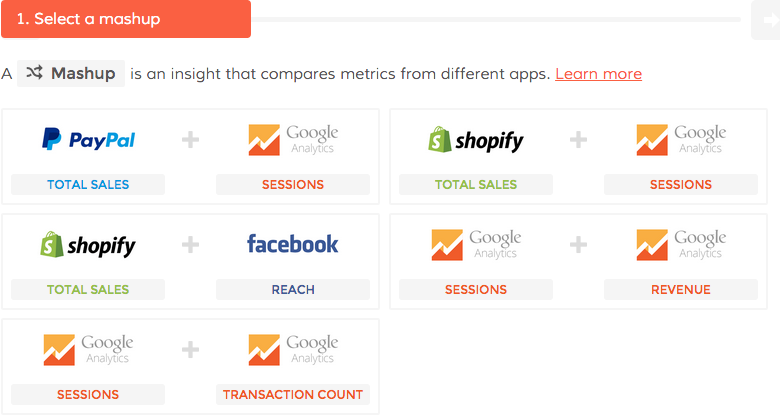
Dasheroo Sales Dashboard mashupsWe’ve also added FIVE spectacular mashups to the mix for your Sales pleasure!

  • Google Analytics Sessions vs. Google Analytics Revenue
  • Google Analytics Sessions vs. Google Analytics Transactions
  • Google Analytics Sessions vs. PayPal Sales
  • Google Analytics Sessions vs. Shopify Sales
  • Facebook Reach vs. Shopify Sales

Now get in there and add all of these great new insights to your data dashboard!


Track Our Startup: New Release! Shopify + Google Analytics Ecommerce Dashboard

Dasheroo's Google Analytics Ecommerce Dashboard

Our own Google Analytics Ecommerce dashboard, get one for yourself!

We’re releasing so many features and integrations so fast we can’t even keep up! Anyhoo, it’s true, we just released Google Analytics Ecommerce and Shopify dashboards to get closer to rounding out a payments/ecommerce dashboard suite (with Stripe and PayPal dashboards already in the wild and Shopify on deck.) We really need your feedback on these integrations if you use these products, we’re always looking at making them better.Dasheroo's footwear choice for Dreamforce: Converse Chuck Taylors, orange of course.

Just 7 short days to Dreamforce (#DF15), Salesforce’s annual event here in San Francisco. If you see someone wearing these Chucks ->, chances are they could be on team Dasheroo so stop us and say hi!

Josh and I are practicing our dry run this week for our demo at 8am (early!) on September 16th, since Dreamforce is free I’m sure you’re all going to be there rooting us on, right? Please? Hello out there?

I just saw Nivi put out a note on Basecamp about a hashtag dashboard, how cool is that?? We still have competitor dashboards we’re working on and Google Campaigns and Goals are in the works. Like I said, gettin’ hard to keep up, our product and engineering teams are awesome!

Alf and Jenny have been working hard at diving into Customer Success to make sure that at every decision point a user has, the path we’re offering them to take, just makes sense. Customer experience is our #1 focus, if that doesn’t work, we won’t be set up for success.

JP and I have been working on a marketing plan for the rest of the year. With so many moving parts we have to nail down who is doing what. Janine has been busy getting some marketing help from people to help us write. This should really help with our SEO efforts.

Finally I’ve been gathering information to start talking to folks about a B-Round investment. Our amazing Series A round folks CloudApps just launched their own company with an oversubscribed round and we need to make ’em proud by going aggressively after a B round which means kicking in the growth machine.

New Release: Google Analytics Ecommerce Dashboard

Many of you have been asking about tracking your ecommerce KPIs in your Dasheroo business dashboards. So we’ve been working hard to provide you with PayPal and Stripe which have been released and now we get to add to that with a Google Analytics Ecommerce dashboard.

Here’s what you’ll get:

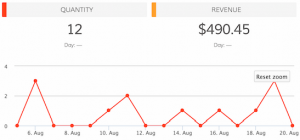
Dasheroo's Google Analytics Ecommerce DashboardRevenue

  • Trending insight of revenue per day over time for the given time period.
  • Stats like total revenue, average revenue per order, conversion rate & number transactions

Top Products

  • Leaderboard insight listing the products that generated the most revenue by product name
  • A tabular insight

Conversion Rate

  • Trending insight of conversion rate for your storefront.This is the percent of visits in Google Analytics that resulted in an ecommerce transaction
  • Total conversion rate for the time period and the total number of transactions in the specified period of time

Recent Transactions

  • Tabular insight of the most recent transactions in your storefront during the given time period. This will include the transaction details like amount, customer details and date.

Revenue by Source

  • Breakdown of your revenue by source represented as a bar graph

Revenue by Medium

  • Breakdown of your revenue by medium represented as a bar graph

Revenue by product category

  • Leaderboard insight listing the product categories that generated the most revenue represented as a tabular insight

Revenue by Product SKU

  • Leaderboard insight listing the product categories that generated the most revenu represented as a tabular insight

Quantity

  • Trending insight of the number of units sold by your storefront in the given time period.
  • Total quantity sold and total revenue are metrics shown in the insight.

Best Selling Days

  • Leaderboard insight of days when your storefront made the most revenue represented as a tabular insight with date and $ amount of revenue.

Mashups

  • Transactions vs Sessions
  • Revenue vs Sessions
  • Revenue vs Transactions

So if you’re in the business of selling, you can have your own Google Analytics ecommerce dashboard!

Track Our Startup: PayPal + iOS + Android

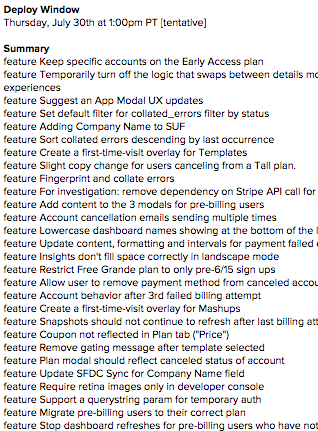
The long list team Dasheroo worked on in our release last week.

Features we worked on for last week’s release. Our developers are busy!

We’ve been busy doing weekly releases to get some features and back-end bugs fixes from our billing release. We’re working hard on the next few releases so that they’re customer-facing and we get you some of the features and applications you’ve been requesting for your business dashboards. We’re a week closer to releasing PayPal dashboards so that you can track things like revenue, refunds, upgrades, downgrades, recent activity and a host of other great payment metrics for your business.

We’ve been busy working on an iOS and Android apps so you can easily view your dashboards on your phone without mucking up your dashboard by fat-fingering your insights. We’re kind of at the mercy of Apple for the iOS app so look for more news on that in the coming weeks!

We’re gettin’ out there…

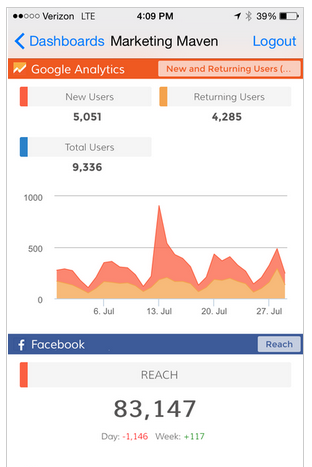
Dasheroo's iOS business dashboard.

Dasheroo iOS app…it’s coming.

My Business.com article Always Be Selling: The #1 Priority for Every Entrepreneur is (hopefully) an interesting read, plus I site the classic movie Glengarry Glen Ross!

JP wrote an Inc. article How to Use Influencer Marketing in 5 Steps to Increase Traffic 10-fold. We’ve done this at Dasheroo and will continue to use influencer marketing. Read it and see how it could help your business.

Do you know What’s Really Important in a Google Analytics Dashboard? We break it down for you in this easy article and all you need to get started is Dasheroo, shocker huh?

We wrote a great article on how we uncovered a secret target customer for Dasheroo, and that great customer target wrote an awesome review on us!