
We haven’t talked about any changes that LInkedIn has made lately and there’s been a bunch. What we want to focus on here is how you can create your LinkedIn profile to be better, to be found quicker and more successful for you in the long run.
1. Your Website Name
Did you know that you can customize the name of your website in your LInkedIn Profile? Easy peasy! Just to go Edit Profile > Contact Info > Website. Here you’ll choose “Other” for the name and you’ll be able to name it yourself!
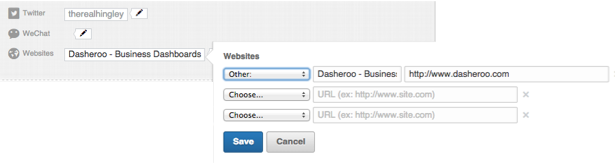
Go to Edit Profile > Contact Info > Website > Choose “other”
2. Include Media
Now for each part of your profile you can include media! This is a great added value to LInkedIn members.

Use on or many of the media choices Linkedin gives you!Enh
For instance we chose to add our video to our own John’s LInkedIn profile:
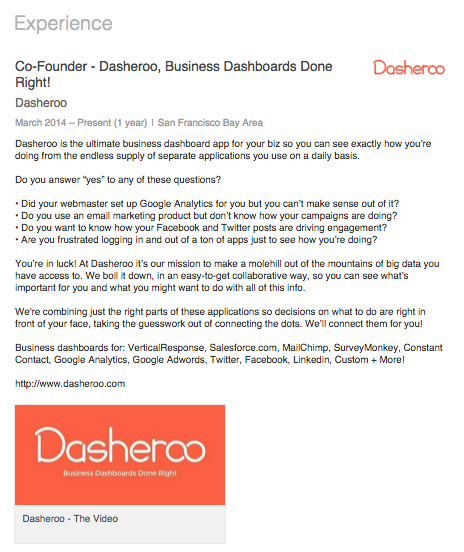
Now the video image appears right at the bottom of this gig!
Now people who visit his profile can see the explainer video of what Dasheroo does!
3. Be Generous With Your Title (But Don’t Lie)
Your title doesn’t have to just be VP, Excellent Company in LInkedIn. You can even get some keywords in there. When we looked at our co-founder John’s title for one of his gigs it reads: Co-founder & Board Member – Advisor on Online Marketing Strategy, Branding & Customer Acquisition. GREAT JOB! He incorporated keywords into the title.
There you have it, 3 quick ways to re-visit your LInkedIn profile and make it better.