Your Own Custom Data on a Dasheroo Data Dashboard

All companies have a ton of data and it’s all over the place. I mean we created Dasheroo because of that very problem. Access to data in Facebook is different from Twitter is different from Google Analytics and the list goes on. One of the benefits of Dasheroo is the art of visualizing that data in the same format so you can really compare apples to apples and know what you’re looking at.
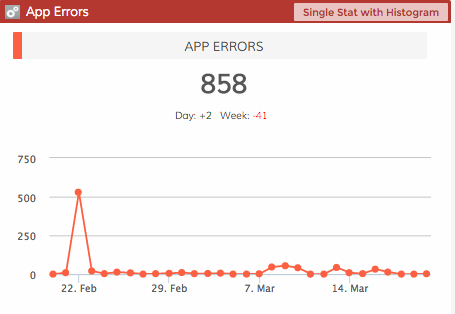
Dasheroo custom data dashboard

Good to know we had just one bad day, then it’s all smooth!

But we’ve seen a very large chunk of people lately using us to get access to internal data that they’ve never been able to see. Huh? I mean we thought that folks would have their data in a spreadsheet and for that we pull data from Google Sheets. But internal data was an interesting one. We built it from the start (thanks James!) but the usage of the product has been a) going through the roof and b) being asked for by huge companies you’d be surprised by.

Think about it, you’re probably in a company where your CFO or head of finance/accounting has access to some great data that might help you market, sell and make better decision with. Conversely if you are the head of finance you might want an easy way a) to get data to the masses (so they’ll quit buggin’ ya) and b) to see what marketing is spending money on and sales are closing.

With access to a custom data dashboard you can view things like:

  • When specific sales or legal contracts are expiring –
  • How many people buy product a and b together, how many don’t
  • How many errors you’re getting on your website
  • How many people are signing up or logging into your online product
  • How many users are churning out (canceling their account)

So here’s what you’ll need: 1 web developer + a web server + 15 minutes of time. Then POOF, you’ll have your data on your dashboard continuously updated! Watch this short video and show them this extremely short documentation!
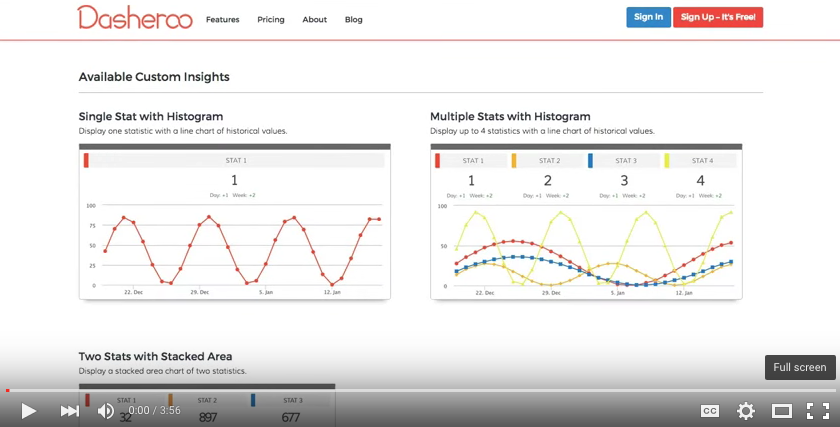
3 Ways of Powering Your Biz With A Custom Data Dashboard

With so much data floating around, a growing number of companies are relying on a “centralized business data dashboard” to collect, display, and manage all the numbers.

Some data is pulled from outside sources, such as Twitter and other social media platforms. While this data is extremely important, you don’t want to stop there. There is also custom data, exclusive to your company, which you have to keep a close eye on.

First of all here is a video on how you use .JSON to get your data into a Dasheroo dashboard:

Dasheroo custom data dashboard

And here is our documentation.

Here are three examples of using custom data in a Dasheroo data dashboard:

1. Provide Expiring Contract Dates to Salespeople

How can you expect your salespeople to effectively manage the sales funnel without the proper data?

Through the use of custom data, you can keep your sales team updated on expiring contract dates. This helps protect against a contract expiring before making contact with the customer.

These dates may be in an internal system that your team may generate on a weekly basis. But what happens when a contact expired 3 days before the report was generated? Having access to data like this way ahead of time gives you a leg up on how to approach your client for the renewal.

2. Is Your App or Website Serving Errors?

You may believe your app or website is as clean as a whistle. But guess what? Others may be seeing one error message after the next. If nobody tells you, you may never know about these errors. Unfortunately, this can have a negative impact on your company as a whole.

With the help of Dasheroo, errors will never slip through the cracks. If an error state happens, you can have your team set it to ping a URL, Dasheroo picks up the ping, and the problem is immediately brought to your attention with a Dashboard.

3. Live Sales Data

Do you track sales in an internal system? Are you tired of running one report after the next and then sharing them with your team? Dasheroo webhooks can automatically update your dashboard with live sales data. Not only does it save everybody time, but it makes for a more efficient sales cycle.

Don’t let custom data go to waste. Instead, use it to power your business dashboard!