Track Our Startup: Bug Fixin’ Your Business Dashboards

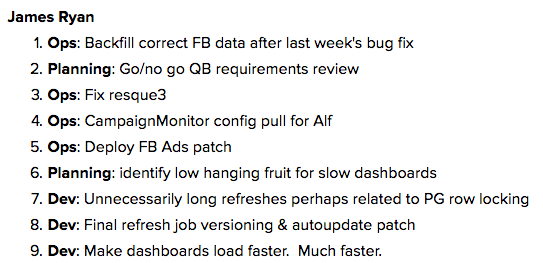
Dasheroo Engineering list of to-dos - KPIsAt Dasheroo we’ve been a bit busy getting ready for our next business dashboard release, and cleaning up after our last one, a theme you keep hearing over and over but that’s the life of a SaaS software company isn’t it?

Gone Fixin’

As with any software release there are usually a set of bugs that need fixing; bugs that were never expected but now irritate the
helloutta the masses. That’s what our product and engineering team has been working on since our mammoth release of SendGrid, Google AdWords and the Push API.

James and his team have started to go down a pretty gnarly punch list of things that need doing. You can see that it’s quite extensive. The most important one is Make dashboards load faster. Much faster. Dasheroo business dashboards: Google Analytics
So that’s what we’ve been working on, along with doing research at some next nifty integrations for your business dashboards, Quickbooks being one of them! Stay tuned on that one.

Where Are New Users Coming From?

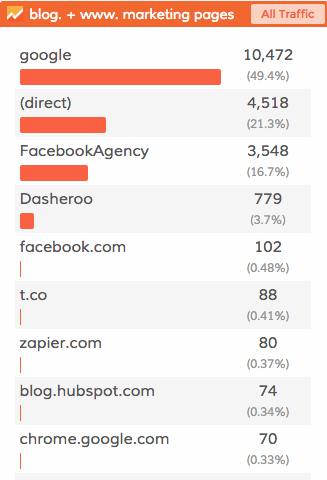
Google drives the lion’s share of traffic for us here at Dasheroo. And since we are doing a small amount of advertising to drive leads for sales Facebook is a great source of leads that want business dashboards. You should know that Facebook runs your ads on the Facebook Audience Network. It’s basically Facebook serving ads on third party sites at a pretty low cost. For some it’s great since it’s a low cost, for us it was serving a ton of mobile ads and we weren’t getting a conversion.

Zapier continues to be a very active hose for new users and we launched with them the end of May. If you haven’t checked out all of the great things you can put on your dashboard do it!
Dasheroo business dashboards feedbackUser Feedback

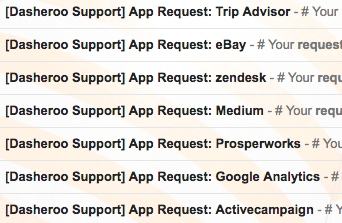
We’ve been getting a ton of great feedback, users telling Alf what they want on a daily basis. Keep them coming in the door, we choose by how many requests we’re getting! Just a sample of a few on a given day ->

Cheers, John.
 

New Release: Why You Might Need a Push API to Track KPIs

Dasheroo Push API for tracking internal KPIsOk, this won’t take too long to sink your teeth into why the Dasheroo Push API might be just the thing you need to keep track of ALL of your KPIs in one dashboard.

And if you’re a Dasheroo user we know you love using Dasheroo to connect to the dozens of apps we integrate with. But we know you might have other custom data that you also need to have visibility into on your dashboard. If so, the Dasheroo Push API can help out.

What’s a Push API?

Push API is a powerful way to connect any internal data to Dasheroo and convert your data into useful visualizations on your dashboard right alongside all of the other KPIs you’re tracking from Google Analytics, Facebook and perhaps Shopify!

So for instance you might want to track KPIs for:

  • Your internal sales system so you can see how any social media is working to drive sales
  • Your internal sales system so you can see if there are any discrepancies with your PayPal, Shopify, or Stripe sales.
  • Your number of new customers from your internal systems
  • Error tracking on your website or database

On top of this you want your stats updated FAST and furiously. And you can have your KPIs updated new (starting from 0) each day or have them continuously updated. Cool huh?

Currently Dasheroo has users users who’ve created dashboards that combine Push API insights with a selection of over 500 current insights we offer from 35 applications. But we also have users who’ve created Push API-only dashboards and are using Dasheroo as a pure visualization tool. Obviously we’re happy to support any and all users!

Setting up the Push API for your business is simple; all you need to do is send the data you want to visualize to a unique URL provided by Dasheroo and we will take care of the rest.

How to set up the Dasheroo Push API.

P.S. Looking for even more ways to get custom data into your dashboard? Check out our Zapier integration!

Our New Push API is Live: Why Does It Matter to Your Dashboards?

We’ve been talking about our new PUSH API for a while now, Andrew one of our most amazing developers has been bustin’ it to get this going. For people that aren’t sure what that means in our case it’s when a user wants to “push” data into our nifty-looking charts and graphs. Why is this important? In 2015 there were 1,876 vendors represented across 43 categories in marketing technology alone let alone any other SaaS category! We simply don’t have the manpower to get data from all of them for your dashboards. But there are a lot of developers in the world that could do it.

Dasheroo Push API ImageWe’re starting off by enabling a single data point (say “revenue”) on a line graph (other charts to come!).

Where Would You Find It

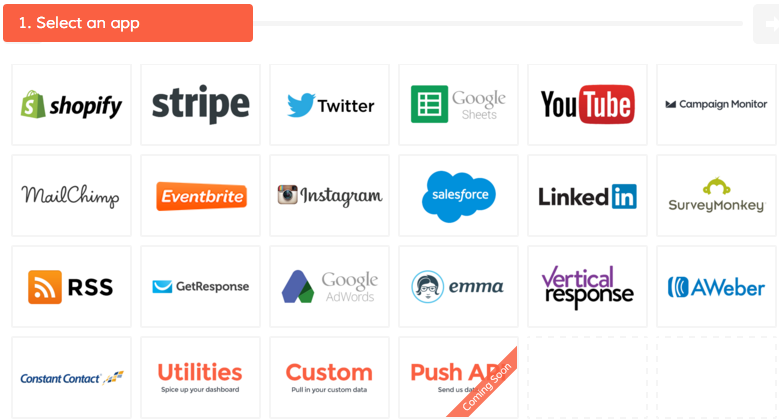
Users can find the Push API from the insight library as a separate app provider tile,

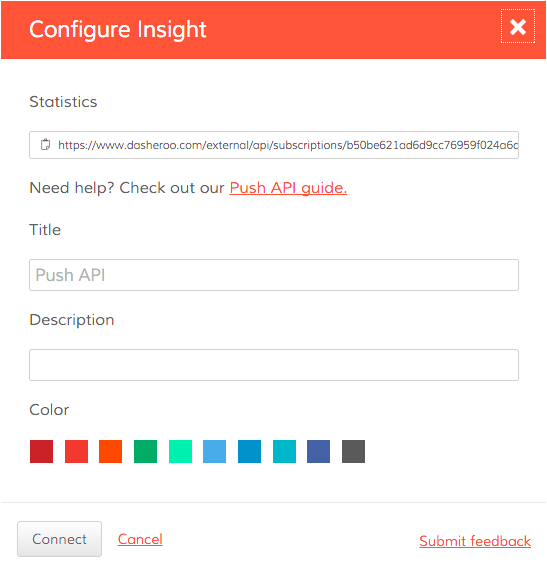
Once the insight is added to the dashboard, you’ll be given details about the URL where your data needs to be sent. Based on the data , the new insight on your dashboard will get populated.

How We’re Using Push API for You

In the coming weeks we’ll be using the Push API with a partner called Zapier. If you don’t know Zapier you should! You can go to them to do a ton of integrations with applications you use.

For example using Zapier you can have two apps you use talk to each other like:

  • Save your Eventbrite attendees into a Google Spreadsheet automagically.
  • Tweet posts from a Facebook page
  • Save Instagram photos to Dropbox

So out of the gate any application that has an “trigger” in Zapier you can bring data into a dashboard. Think Quickbooks, Zendesk, Asana and hundreds of others.

So look for a bunch of new integrations in a few weeks as we roll this out more.