
Hey we love LinkedIn, it’s an amazing social network. But man they make it a might hard to find some integral stats you need. Not to mention that when a company like Dasheroo wants to try to make it easier on people who use Linkedin, they don’t really let us. So for your Personal LinkedIn Profile stuff, we figured we’ll let you know what we can do for you for you as well as where to find the stuff that they won’t let us expose to you in our easy peasy dashboards, got it?
Connections
These are people who have asked to be connected to you and you said “hey, sure, why not?” If you have more than 500 you’ll not really know how many you have.
Here’s where they are if you have less than 500 connections:
Click on Profile > look in the lower right corner. Below it’s 500+ connections. Dasheroo will give you the number of connections you have if you have less than 500.
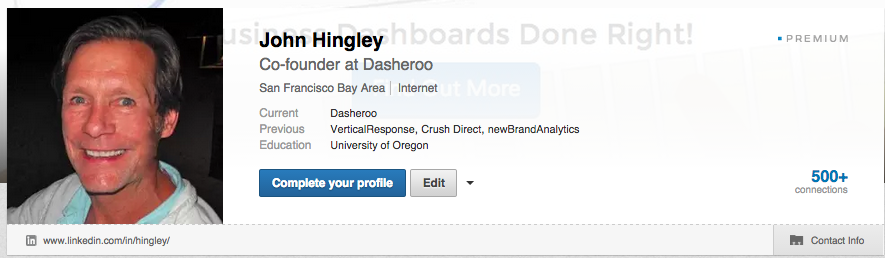
Here’s where they are hidden if you have more than 500:
Click on Profile > Who has viewed your profile > How you rank. Your connections number is on the right hand side. Below it is 1,192 members.
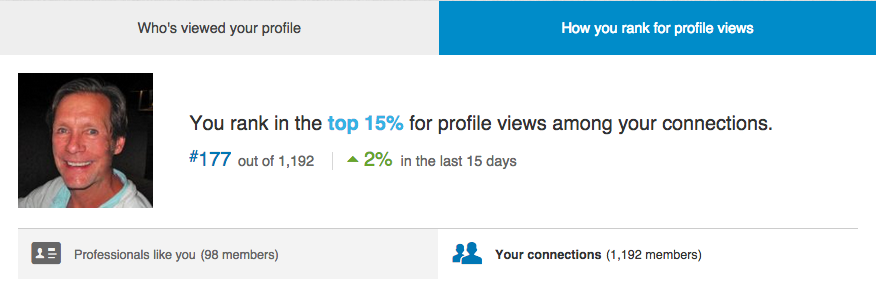
You’ll also see how you rank among views within your connections. This compares the number of profile views to all of your connections. It’s a good barometer for people that have an interest in what you’re doing. If it’s a really high number (bad) you need to expose yourself a little more by doing things like Sharing, Connecting with more people and posting content.
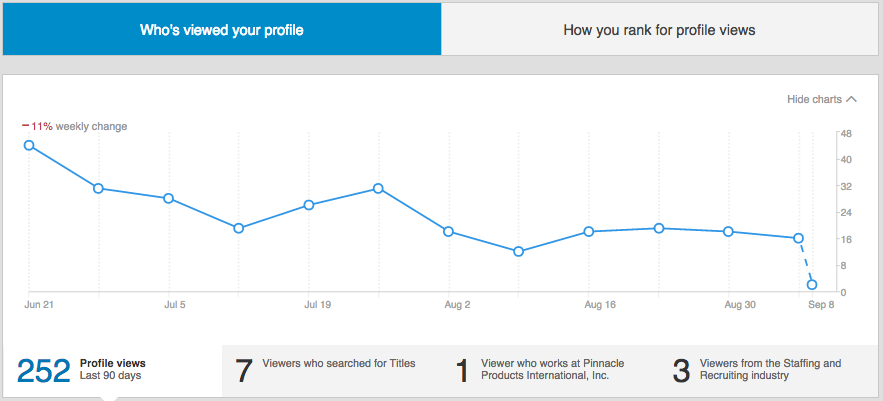
You’ll see who has viewed your profile and how many views you’ve had.
Followers
These are people who “follow” you when you publish a piece of content that they like. They don’t have to request to be connected, sorta like Twitter followers
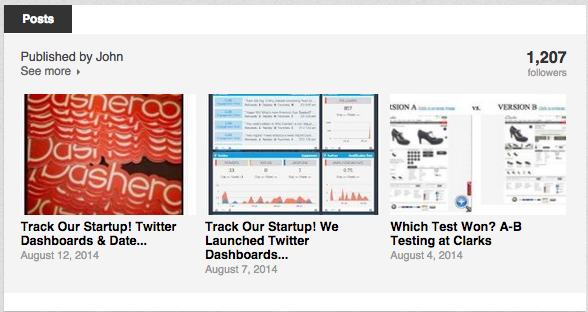
Here’s where they are hidden:
Click on Profile > scroll to the Posts section and you should see your follower count in the upper right corner. Below it’s 1,207.
Recommendations
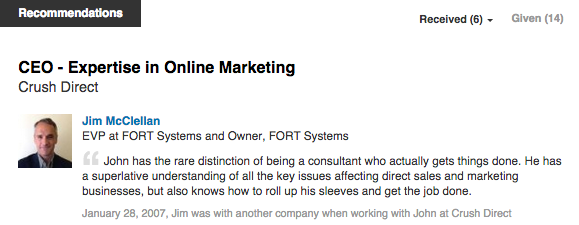
Click on Profile > scroll to Recommendations you’ll see Received and Given. Dasheroo will give you the number of recommendations received in our Linkedin dashboards.
There you have it. We’d like to give you an easy way to get at all of this data in the future, we hope that LinkedIn will allow us to do so!