Startup Lessons - How We Chose To Spend on An Expensive Event

In caDilbert for Dasheroo's tracking a KPI for an expensive event.se you didn’t hear, we’re knee deep with Salesforce. We spent resources developing a Lightning Component in time for the
annual “Biggest Event of All Time vs. Oracle”, aka Dreamforce ’15. Some of us thought the decision to go ‘all in’ with Salesforce and prioritize developing a Lightning Component a ‘pivot’, you can also call it just plain being fluid.

Anyhoo, I wrote a different post about that, read it here. Nuff said.

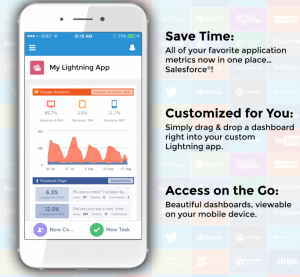
So, we spent precious and finite dev & product resources to build a Lightning Component. What does that mean? It means you’ll be able to view any Key Performance Indicator (KPI) in your Dasheroo business dashboard right within the Salesforce.com application, cool huh?

Our friends at Salesforce were impressed with what our team, and especially Alex, developed in a very short amount of time! And I must say, so was I. SFDC was so happy, they invited Josh and I to speak about it at Dreamforce.

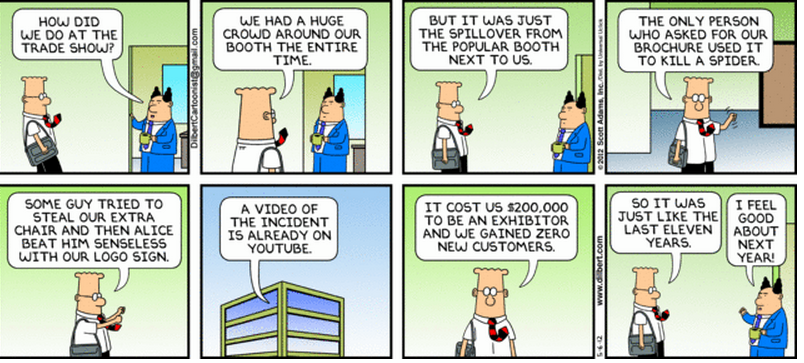
So, the next logical decision was: “hell, should we sponsor as well?”, meaning, should we have a booth at the event. It’s a $25,000 investment for a tiny pod alone, not to mention the cost for a rotating crew of 2-3 Dasheroo folks to staff the pod for 4 days.

Exhibiting at events can be very expensive, and I get pretty frugal when that decision comes around. We’ve only exhibited at one other event, the Market New York Expo last May. And that was less than $5,000 for a full 10′ x 10′ booth for 3 days.

So what were the factors I used to make a decision in this case?

  • Q: Do we want to be 1/2 in or go all the way?
    A: We already made a significant investment in product and engineering, so it seemed like a reasonable investment to go ‘all in’ to hopefully build on our relationship and get Salesforce behind us and our Lightning Component. It worked well for us back in the early days at VerticalResponse when we integrated and got listed on the AppExchange and became the most downloaded application at the time.
  • Q: How close of a match is our market to the Dreamforce attendees?
    A: We knew most DF attendees would be larger businesses than our core SMB target, and we’d be asked to compare ourselves to enterprise offerings like Salesforce Wave, Tableau and Domo. So not a great match, but we really wanted to learn from this type of feedback. And what we confirmed was that Dasheroo is more of a complementary offering to the big guys than a straight-up competitor. Valuable info!
  • Q: Will there be solid feedback and learnings we can use to improve our product development strategy?
    A: If you ask some questions and really listen to the folks that stop by your booth, you should always learn some important things. So Josh (VP Product) and James (VP Engineering) spent a lot of time at the booth and heard challenges and needs first hand. For one, a “BI-light” approach, meaning perhaps we should go one level deeper in uncovering trends or the proverbial ‘canary in the coal mine’.
  • Q: What are the all-in costs (inclusive of travel and lodging)?
    A: Since Dreamforce is in San Francisco, travel and lodging costs were nil. All but one of us that attended lives here. Otherwise, we may have decided to not attend, or may have decided to really trim down the number of us who attended.
  • Q: Will there be partnership opportunities?
    A: I felt we’d get in front of companies that we could have long term growth opportunities with, that we may not get in front of otherwise. And yes, there are a few of those in the hopper!
  • Q: What do we consider an acceptable ‘ROI’?
    A: Contrary to my ROI for most events, I didn’t base this purely on number of leads and estimated sales close rate. That would be a tough calculation to make work, when you have a freemium business dashboard product! I based it on the factors above. Plus, we will measure the ROI on more traditional ‘payback’ approaches. But if we took an estimated $35,000 total investment on the 160 leads we generated, that’s $218 per lead. So we’ll see what happens - maybe we’ll get some larger deals or a couple great partnerships that pay that off. I’ll let you know.

So, yes we attended and 4 of the 5 of us co-founders said ‘yes’ it was worth it. The 5th was on the fence for valid reasons. Now, don’t get me wrong - we have no plans to throw around $25,000 willy nilly, it’s just not in our budget. Plus it hampered our productivity for a full week. But sometimes you have to look past short term traditional ROI to get to a logical decision in these cases when the strategic value can far outweigh the short-term investment.

What’s your take on trade show investment? Let me know!
Dasheroo Demoing Lightning App Builder at Dreamforce

We’ve been talking about a secret project we’ve been working on behind the scenes here at Dasheroo and we couldn’t be more excited about it! All of the projects we have been working on with regards to responsive design and OAuth are releasing!

Imagine if you’re in your favorite application that’s your go-to app every day. All you want to do is place “components” from other applications in that beloved app. Let’s say that beloved app is Salesforce.com and you want your Dasheroo business dashboards to be viewable in your Salesforce account.

Introducing “Components” by Salesforce. Using their nifty technology they call the Lightning App Builder (nod to the cloud) they just announced, we got our Dasheroo KPI dashboards to be viewable right in a Salesforce account on a mobile device!

Why is this so freaking cool?Dasheroo's new Salesforce.com lightning component

  • It’s right in time for Dreamforce, Salesforce.com’s annual event in San Francisco.
  • Josh and I are demoing it at Dreamforce this week at the Marriott Marquis in SF at 8am on Wednesday. C’mon by!
  • We got to work with new technology from Salesforce
  • BIG DEAL: This enables us to have our insights and dashboards anywhere! James calls it Dashboards-as-a-Service (DaaS). Think about taking your important metrics and putting them on any web page or in any app that will accept “widgets”.

Ok, off to the show tomorrow, see you there! #DF15

Track Our Startup: iOS Mobile App Released + Stripe + Dreamforce!

Dasheroo's mobile app for business dashboard

Go to the Apple Store and download your free Dasheroo iPhone app now!

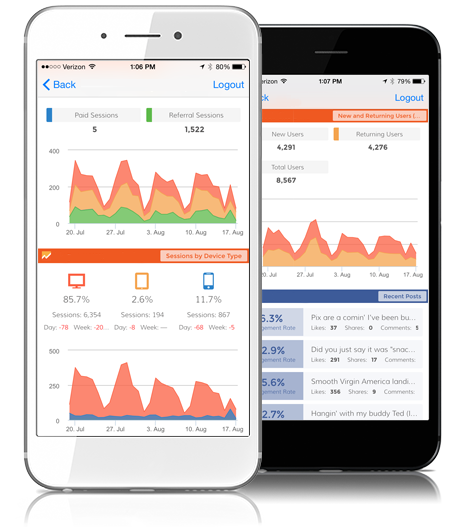
Releases abound here at Dasheroo! The all-new Stripe dashboard feature released and we couldn’t be happier. Our Dasheroo iOS business dashboard mobile app is finally released as well. Now you can easily view your dashboards on your iPhone. Android to come soon. Get to the Apple Store and download it free! I told you about the 6 new projects we’re working on and we’re still working those. I can’t even keep up…

Sales are starting to roll in since we launched billing a short time ago, while Mimi closed a few larger deals.

We’ve been writing like crazy. My new business.com article is out: How The Power of Conversation Can Grow Your Business. It’s a great example of how actually talking to people makes great sales. Startup Lessons Learned: Be Fluid and Pivot! is out. I talk about the importance of being able to change on a dime in any business, especially startups. Janine writes another good one for Inc.com; When To Inject “Fun” Into Your Customer Experience.

WOneCon Constant Contact partner evente’ll be exhibiting at Dreamforce in a few weeks, that’s Salesforce.com’s annual event. Josh and I are busy getting together our presentation since we’ll be demoing theatre style at the conference!

We’re going to Las Vegas for OneCon, a three day event in October where Constant Contact Solution Providers and Authorized Local Experts from all over the world are invited to network and learn from each other, Constant Contact executives, and small business experts. And since we’re an integrated partner where you can get your Constant Contact dashboard free right in your Dasheroo account.

In our never-ending attempt to gain placements in the SERPS we’ve got a new landing page for the keyword “small business dashboard”. We’re making pages for all of the keywords we want to be found for.

John at Dasheroo

Track Our Startup: Stripe Dashboards + Knee Deep in SEO

We’ve been super-crazy busy these past few weeks. Instead of releasing new features and bug fixes every two weeks we’ve been releasing EVERY WEEK! Our product and engineering groups have been so great at defining and developing the stuff you want, that we want to get it out live ASAP. Last week we told you were were working on iOS and Android apps, and they are still on the way. We submitted our iOS app to Apple last week, so now the ball’s in their court and we’re hoping for a speedy approval. Our Android app is in heavy QA and once we deem it to be ready, that’ll go into a submission process as well.

Dasheroo PayPal dashboardsWhat did we do?

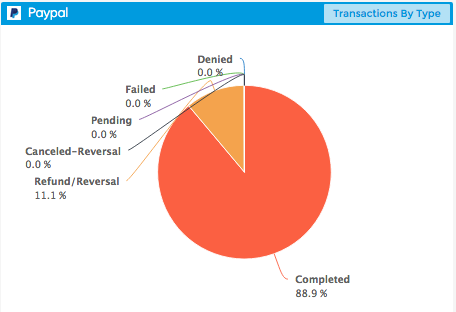
We also told you we had PayPal dashboards ready to go, we’re just waiting on team PayPal to officially “bless” our integration. As soon as they waive their magic wand you’ll be able to see all of your incoming and outgoing payments on one nifty dashboard!

What are we working on?

Dasheroo Stripe billing dashboard

We’ve got a ton of insights for your Stripe dashboards on the way!

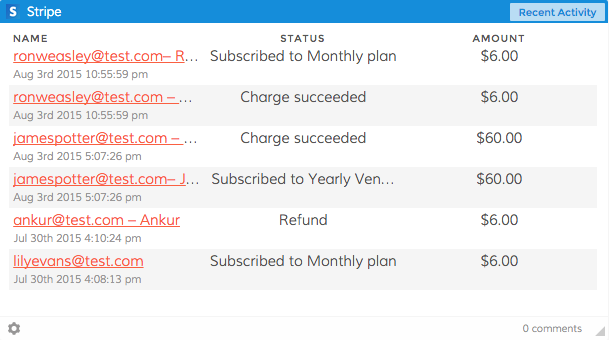
Stripe is on the way. On the heels of our PayPal integration we thought we should also give you your very own Stripe dashboard. Stripe is what we use here at Dasheroo for our payments. So you’ll be able to see metrics in a given time period like Revenue, Most Recent Transactions, Refunds and more in one easy to understand place.

We had been working on Alerts but had to pause development for a few weeks.

Alerts will allow you to set a specific value in one of your Dasheroo insight metrics and get sent an email if your performance goes above or below that set value, whichever one you decide. So if you’re looking closely at your Google Sessions and you think it might spike because of an article you just had published you can set a value for if sessions go over 10% of what you normally see in a day. Then you’ll know it’s working! The feature is still on the backlog and we’re about to pick it up again because we think it’s pretty cool.

We’re also getting closer to the beginnings of a competitive dashboard. You’ll be able to track your social media fans and followers alongside whoever you choose as a competitor. Me? I’d stick some RSS feeds on the dashboard as well to keep an eye on what my competitors our putting out their blog. More on that as we get further along.

Working on something special for September to show at Salesforce.com’s annual event Dreamforce. Unfortunately we’re under lock and key for this one but stay tuned, it’s pretty cool.

Marketing

We’ve been working diligently on our search engine optimization so we’re found on page 1 when people are searching specific terms. Here’s what we’re doing:

1. Landing Pages: We’re in the process of creating targeted landing pages that focus on specific keywords. For instance, when we refer to “Google Sheets dashboard” we link it from the blog to our Google Sheets landing page where we talk all about the benefits of Google Sheets. The link has the keywords in it as well (https://www.dasheroo.com/google-sheets-dashboard).

2. Inbound Links: We’re working off of a spreadsheet of sites that make sense to have us on them linking back to our site. The more quality inbound links your site gets the better your rankings in the search engines.

3. Contributed Content: If you’ve noticed, I’ve been writing for business.com while Janine has been writing for Inc.com. That list of publications we contribute to is going to grow in the coming months and you’ll see some great articles on sales, marketing and overall leadership. It’s a ton of fun and Dasheroo gets links from sites that have some great domain authority.

4. Linking Within our Domain: We’re linking between articles on the blog where it makes sense, we’re linking from the blog back to those landing pages and we’re linking between pages on the same domain. Google likes this and it makes sense to drive traffic to other parts of our site.

Back to work time!

Track Our Startup: Working on Google Sheets!

Our new Google Sheets business dashboard InsightWhile some of you were wooing your significant others on that Hallmark-fabricated holiday Valentine’s Day, we were busy with a flurry of excitement around our new Instagram business dashboards as well as lots more new users!
Speaking of, we had the best week ever for sign ups and engagement. The Google Analytics Marketplace really went wild sending us good people that like what we do. Our engagement metrics increased by over 10% which is awesome. Oh, engagement to us is that you’re in our app looking at your stats.

Next up is going to be Google Sheets. We’ve talked about how difficult this one is because there are so many ways businesses use Sheets, but we really think out of the gate we’ll get something really valuable for you Sheets users.

More excitement? Our team has moved Sheets onto our “staging” environment (fancy name for the server it goes on before it goes “live”) so we can get knee-deep into QA-ing this thing. We’ll be looking to release this by next week.

We’ll also be revisiting Facebook and Twitter for some new features, one is the ability to look at more than 5 posts when you’re looking at your most recent posts.

We’re working on a way to inform you that we’ve got new features and fixes (they come out all the time) so when you “refresh” you know what new stuff you’ll be getting. So we’re working on a way for you guys to know what’s going on more than an email.New Feature: Extending the custom date ranges to 60 days!

We were able to sync our Salesforce.com org to our new Zendesk org so that we can start to track all of our communications with you through one interface. Hopefully this will go smoothly as we roll it out, but you know how software is. Also, to that guy from Zendesk who sat right in front of us on an empty beach this weekend…Boo :-(

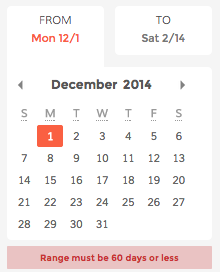
We are working on bumping up the ability for you to look at data outside a 30-day date range. On our staging environment we’re testing a 60-day range which is awesome!

We’re still working on closing up a round of funding. We’ll announce who, what, where and when, as we launch this sucker, but it’s pretty exciting!

And lastly and most importantly, we’re getting ready for our first board meeting in Austin, but more importantly the tasty BBQ.

A New Release, In-Person Meeting & John Curses Salesforce

We semi-released Constant Contact business dashboards although you can’t see them, it’s an “invisible feature!” & we love it! Kidding aside, it’s almost there but we wanted to give it a bit more QA love which we’re in the process of doing now. So Constant will be part of our release this week instead. But, our release last week was awesome because it fixed a bunch of things behind the scenes that make your experience as smooth as it can be.

Screen Shot 2014-12-07 at 12.25.17 PMTeam Offsite Meeting!

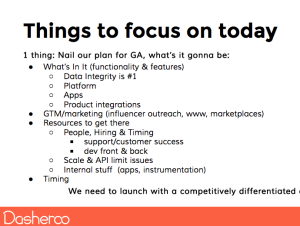
We worked on getting our thoughts together for a meeting this week where we’ll be focused on what we’re going to be when we grow up. We’re looking at how we are different from the generic dashboards that are out there, how we’re going to make the best customer experience even better and how we’re going to scale our business for the (hopefully) millions of users we’ll get. Stay tuned on that as you know we’ll be letting you in on all of the good stuff that comes out of that meeting. And since we’re virtual, it means a lot to us when we come together.

Also of note, we’ll be ordering a delicious lunch from R&G Lounge here in SF. Yummy Chinese, and the best Beef Chow Fun ever. Then after several more hours of brainstorming and planning, off to Capos for dinner, deep dish Chicago style. Here we come Tony!

First Review is Coming…

Screen Shot 2014-12-07 at 12.16.53 PM

John being interviewed by Matt Mansfield over at Small Business Trends, NOT cursing Salesforce!

We got our first interview from Matt Mansfield, the Tech Editor over at Small Business Trends, that amazing site that gives you a ton of great product information. Matt was awesome and understood exactly what we’re doing with our business dashboards, how we’ll be different (better) going forward and the track we’re on. Look for us to let you know when it gets published. His site is cool too, Matt About Business.

The Curse…

John spent an inordinate amount of time cursing Salesforce.com this week because:

  • They won’t let him download our customer data in the Group Edition more than once a month
  • Now he’s bitching because as a tiny company he’s now forced to be an enterprise user which increases the price from $25/month to $125/month
  • When he upgrades they make him pay for 12 months at once
  • When he tries to check out they won’t let him with a plus sign (+) in his email address
  • To boot they are now requiring him to download the data in the account with the “plus” and upload it to an account without it. Just keeps getting better.
  • When he needed help, he clicked on Chat With Us, but he can’t click on the icon (cuz there’s no link) he has to navigate to the page where there is theoretically a “Chat” and there’s no chat, only phone, or the ability to open a case. Oh wait, Chat only comes with the ‘premier’ plan…

Salesforce, we love ya but man o man we’re tired of hearing our co-founder bitch, on the other hand it’s given us some pretty entertaining content. And we do love the fact the there’s just so many app integrations that we can hook up with to run our internal ops! A smoother road ahead please :-)

Boring But Necessary

We got insurance! Business insurance, health plans and D&O (Directors & Officers) are all underway, woohoo! We got our first legal bill, man lawyers make a ton of money. We chose Quickbooks for our internal accounting due to their great UI improvements and features. They finally listened to their customers who actually wanted a SaaS experience. Way to go!

Business Dashboards You Can Use: Dasheroo Beta is LIVE!

What a ride since just March it has been for team Dasheroo! We released our Alpha version of Dasheroo back in July, we got some amazing feedback from all of our great users and now we launched beta! Here’s what we’ve got so far:

  • Users - We’ve got oodles of worldwide Alpha users who we love very, very much. Tell your friends to sign up for Beta.
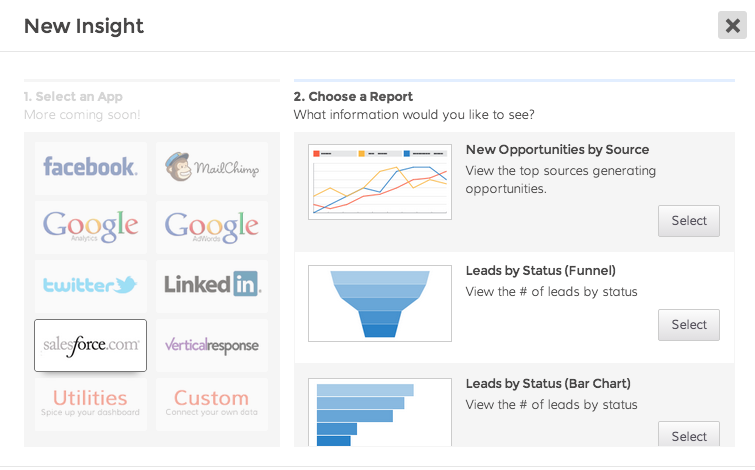
  • Apps - We now have 8 apps we connect to: Facebook, Twitter, Google Analytics, Adwords, Salesforce, VerticalResponse, Mailchimp and Linkedin PLUS your own custom Insights, and a few utility Insights. Many, many more on the way.

    Screen Shot 2014-11-17 at 3.45.31 PM

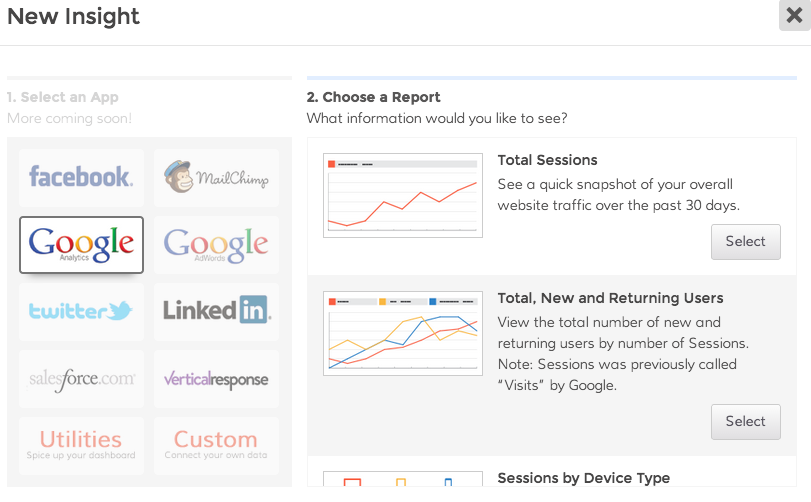
    Choose your Insights for your business dashboards!

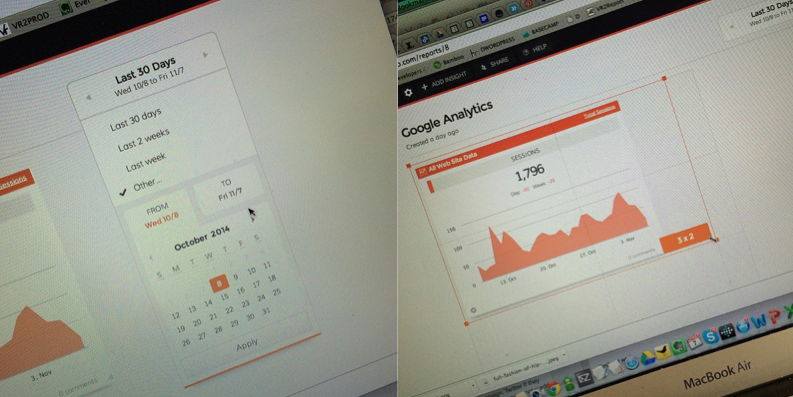
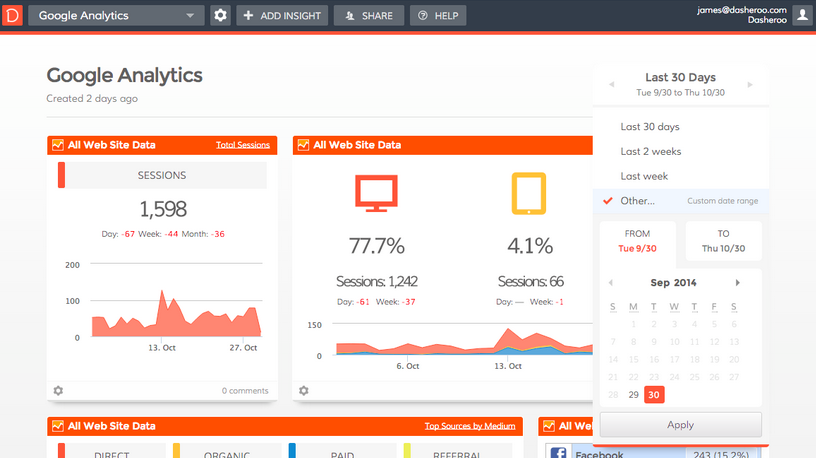
  • Customize by Size & Date Range! - We’ve got business dashboards that you can re-size to really customize the look and you can also get your data by customizable date range!

    Screen Shot 2014-11-09 at 10.58.25 AM

    We’ve got custom date ranges and resizable Insights for your dashboards.

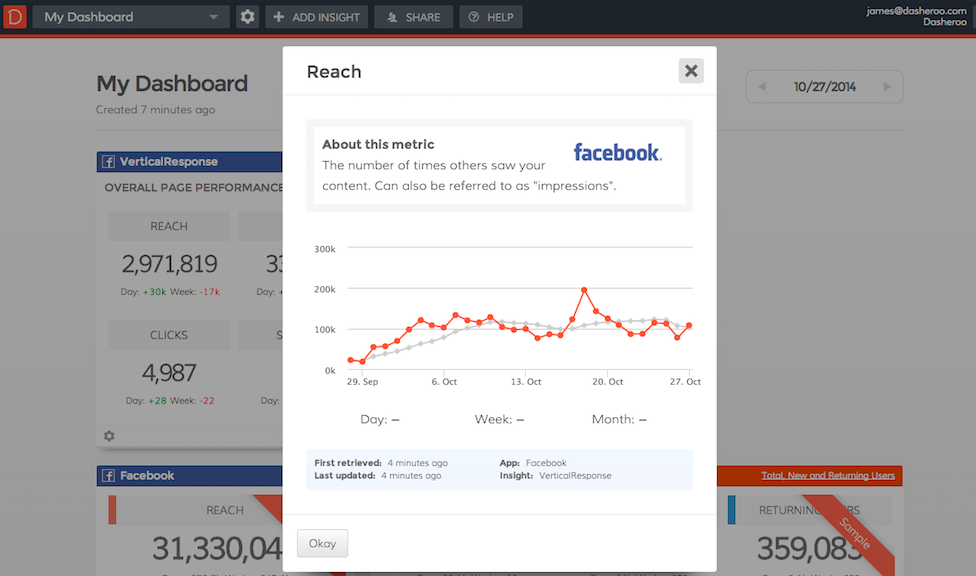
  • Insight & Metric Details - Ever wonder what’s going on behind the metrics? Maybe your co-worker isn’t really sure what they’re looking at. Look no more, simply click on the metric you want to know more about and ta-da! All of your information is right there staring you in the face. You’ll get the definition of the metric, historical values with a rolling average, the specific account for the application you’re looking at, and when it was last updated.

    Screen Shot 2014-11-19 at 9.14.21 AM

    More info on the metric in every Insight.


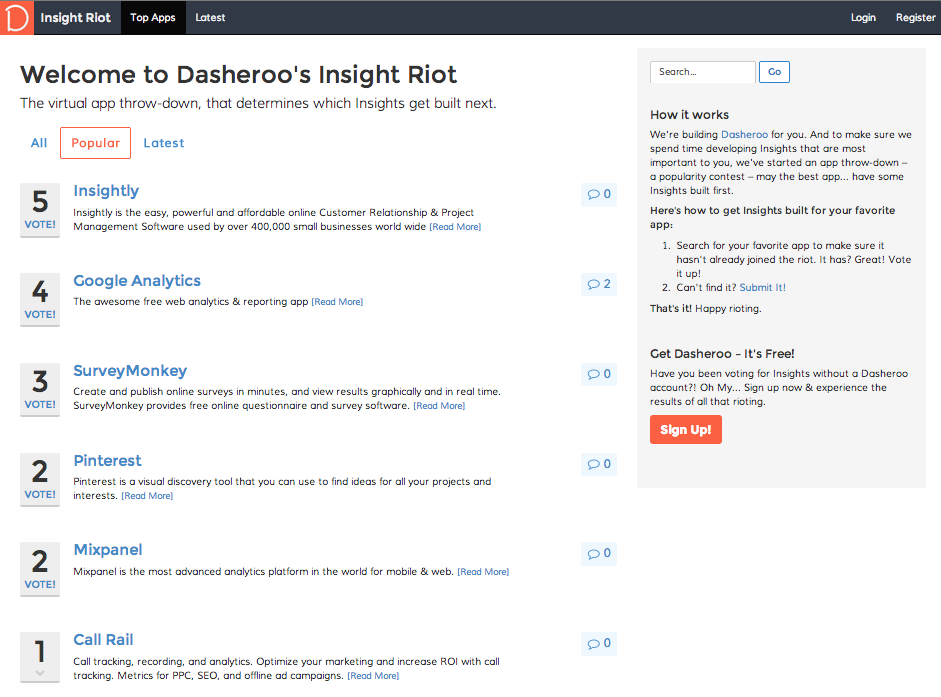
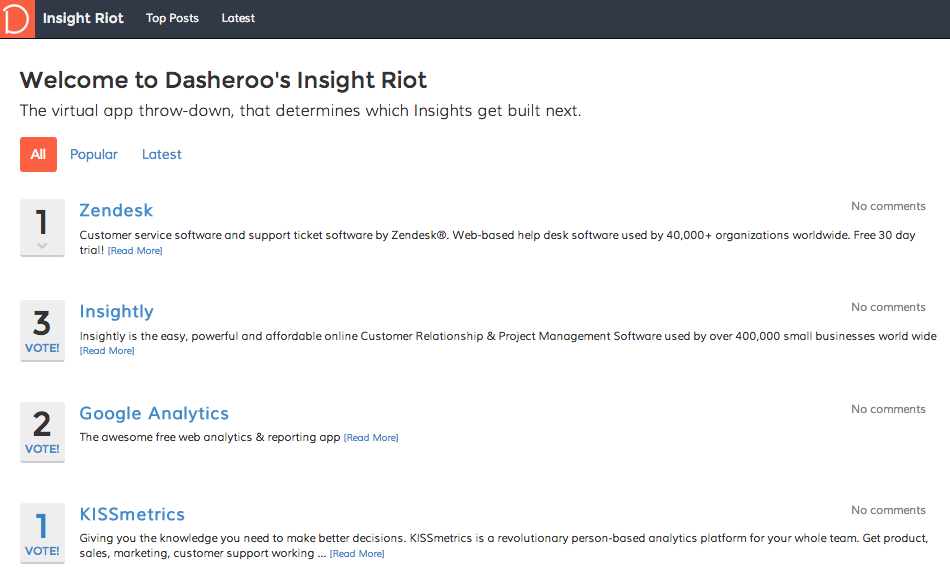
  • Vote for your next app - We have a VOTE site where you can vote for your next new application we connect to and extract data from or an existing one with different data you’d like to see.
Screen Shot 2014-11-06 at 9.45.52 AM

Vote for the next app you’d like to measure on your business dashboards.

Screen Shot 2014-11-17 at 3.48.15 PM

We love our leaders!

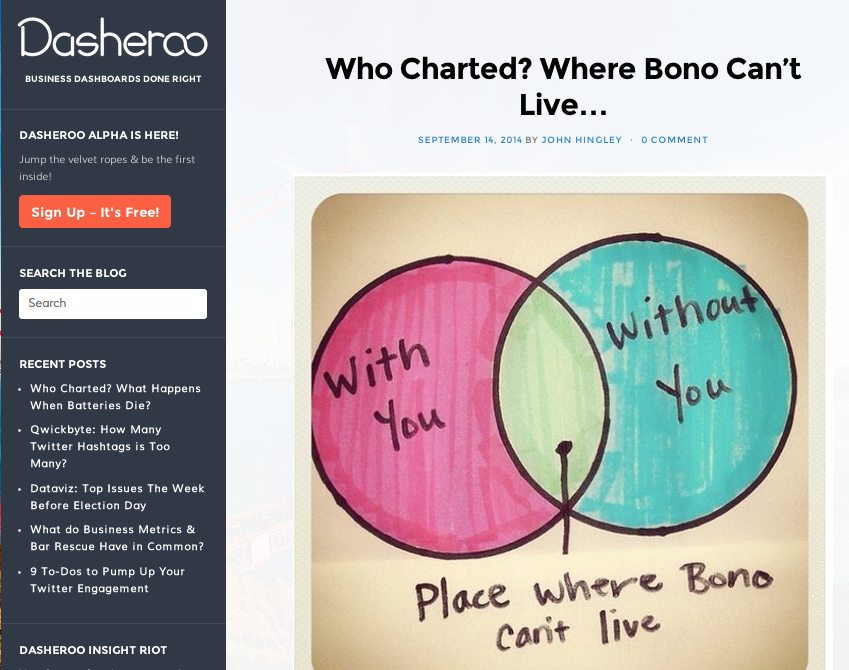
  • Blog - We’ve got a killer blog where we get serious about how improve metrics you’re looking at on your Dasheroo dashboards and we try to find some great information for you daily. We also keep you up to date on what’s happening behind the scenes at Dasheroo every week so you know what we’re working on. We get not-so-serious with our noted “Who Charted?” series where we find some pretty funny-ass charts for your Sunday Funday.
Screen Shot 2014-11-17 at 3.50.18 PM

You can’t get enough of our funny charts & graphs!

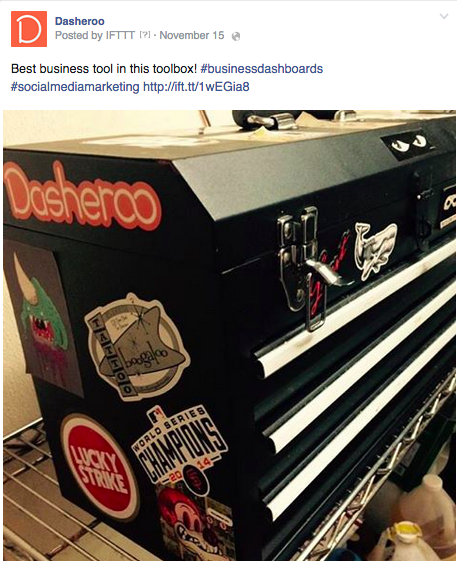
  • Social Media - We eat our own dog food! We’ve got almost 10,000 Facebook Likes and 1,300 Twitter followers, we’re doing some great Linkedin posting and we’re on Pinterest with some pretty funny pix. The Dasheroo stickers really get around the whole wide world, don’t they? AND, we use Dasheroo to track all of that fun stuff.

    Screen Shot 2014-11-17 at 3.52.19 PM

    Love what they do with our coveted stickers.

Now it’s on! The real release with a s*it-ton more apps and features is coming your way. And if you’re a beta user you’ll get it and you’ll get it all free!

Business Dashboards Progress: Vote for Your Next Apps

This week after the World Series madness (we’re in SF) we’re knee deep in delivering the stuff we promised for beta in mid-November. After Salesforce business dashboards released last week we got a ton of interest. If you haven’t tried them out, get in there and give it a try. Love to hear your feedback.

We’ve got a great design we’re thinking about for the custom data range selection, one of the items our users asked us for and we’re still in conceptualizing the resizable Insights. (Oh sorry about that typo if you read the email!)

Screen Shot 2014-11-01 at 11.39.41 AM

One idea we’re thinking about for custom data ranges for your data coming very soon!

We’re also trying to figure out what new apps to work on next and where to go deeper with the current apps we have. That brings us to our next feature…

Vote for the Apps We Work on Next!

We want to hear from you! That’s why we launched our Vote site. You can vote for the apps you want to see in your business dashboards. Let the voting begin!

Screen Shot 2014-10-31 at 1.02.40 PM

Other Stuff

We’ve been paying around with Screenflow, that’s the software we love to use to create how-to videos so if you get stuck you can play a short and easily see how to get unstuck.

We have two more glossaries up for you so if you’re looking for a specific metric description you can just go here and see them all!

Till next week…

Weekly Update: Salesforce Business Dashboards Launched!

We’re marching towards our Beta milestone in mid-November. We told you we were going to launch Salesforce Insights: DONE! We also told you we were going to work on resizing of your Insights and giving you custom date ranges. That’s next up on the developer to-do list.

Salesforce Insights Launched!Screen Shot 2014-10-23 at 2.01.23 PM

  • Leads by Source – View the top four sources generating new leads for your company.
  • Leads by Status – View the current status of your leads in a funnel or bar chart format.
  • Opportunities by Source – View the top four lead sources generating new opportunities for your company.
  • Opportunities by Stage – View your opportunity pipeline broken out by the different stages you’ve set up. See it in a funnel view or bar chart.

All of these Insights can be filtered using the exact list views that you’ve set up in Salesforce.

Other cool things we’re developing:

We’ve been working on something awesome, at least we think so. We’re giving more details into exactly what you’re looking at for each Insight and the metrics that are in them. Here’s a sneak peek:

business dashboards

Within each Insight you’ll be able to click on the metric and get a closer idea what you’re looking at with a rolling average of how you’re doing.

Users!

We had a great call with a user from Guadalajara (can never say that without thinking of Elvis) and we learned so much from it! Thanks guys you gave us a lot of great info: you want pie charts, a developer focus so you can create your own Insights and email alerts! Music to our ears.

SEO

We’ve been climbing nicely in search for the keyword “business dashboards”. We went from page 13 to page 6 perhaps with the with the Penguin update, who knows but we’re happy!

Gone Bloggin’

Google Analytics Segments: How To Set Them Up and Use Them, and How to Track Your Conversion Funnel. Pretty good and easy reads.

Fun Stuff!

Been knee-deep in getting a business license, drew architecture diagrams for investors, talked to potential new hires (we think we might have our first part-time QA person!) , opened up a bank account and getting business insurance.

Marching towards a pre-Thanksgiving beta release. We’ll have a ton to be thankful for!

How To Track a Conversion Funnel

It doesn’t matter what business you’re in, whether you sell to consumers or you sell to businesses, whether it’s a product or a service, you should be looking at your conversion funnels.

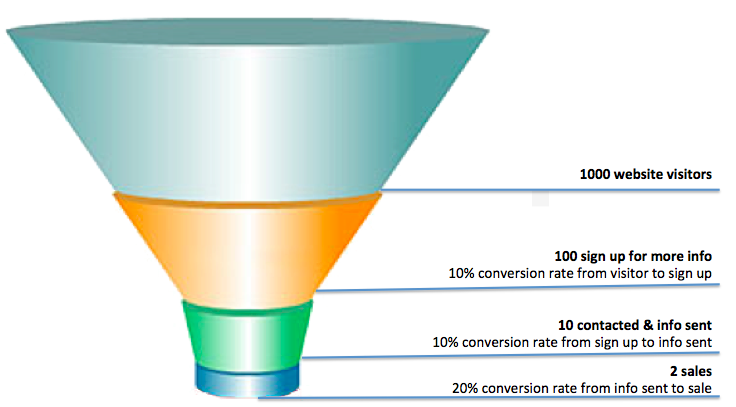
A funnel chart starts at 100% and decrements at specific stages of the path that someone takes to consider you in their purchase decision.

So let’s look at a simple example from website visit to a sale:Screen Shot 2014-10-25 at 7.01.07 AM

You got 1000 visitors to you site. You know that because you’ve set up Google Analytics to look at that.

When they get to your site they are presented with a bunch of information about your products. 100 of them are somewhat interested so they click and submit their information for more info. That’s a 10% conversion rate from visitor to sign up.

You send them more info and you call them. You get in touch with 10 of them. That’s a 10% conversion rate from sign up to contact.

After the first contact you sell to 2 of them. That’s a 20% conversion rate from contact to close.

If your revenue from those sales covers the cost and time it took to close, great for you. If it doesn’t now is the time to start testing different parts of the funnel!

Hey, we just released Leads by Status and Opportunities by Stage Funnels for Salesforce. Check them out, it’s free!