
We’re coming out with new features all of the time, to a) make your life easier and 2) get your business booming fast. Because of this we knew that connecting a single insight-by-insight was a time-wasting pain in the butt. So this is all about selecting a marketing dashboard template for your business.
Of course you can swap out insights and apps to your dashboards and make them customized to your business.
Start with the Marketing Maven when you select your template:
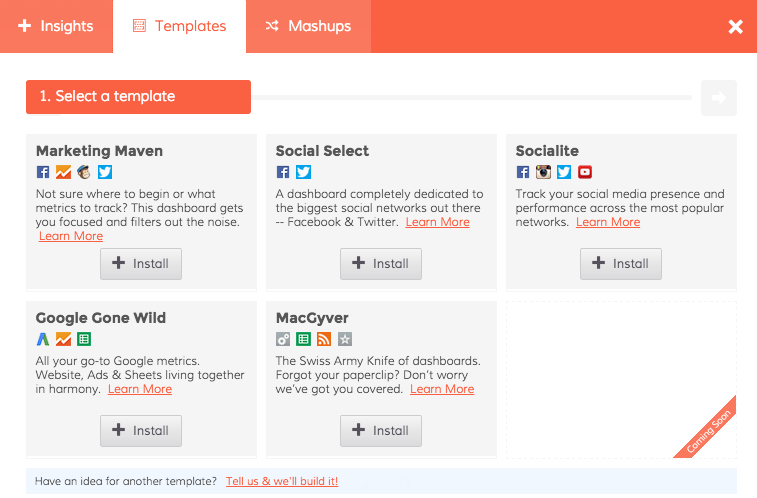
So we created a few templates for your dashboards. This post is all about the Marketing Maven dashboard template.
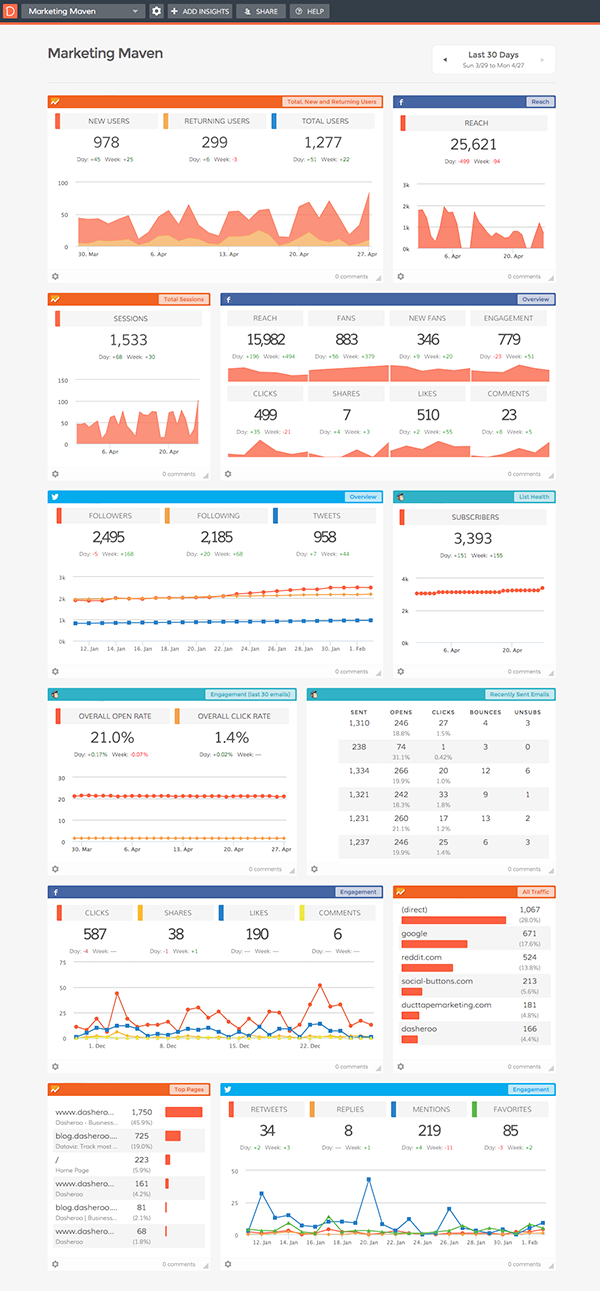
Once you connect you’ll get:
- Google Analytics - Top Pages people visit, Top Sources of All Traffic, Total Session and New vs. Returning Users.
- Twitter - You’ll get a great overview of the total followers, following and Tweets as well as an Engagement insight tracking RTs, Replies, Mentions and Favorites.
- Facebook - You’ll get an awesome overview including reach, fans, new fans, engagement rate, clicks, shares, likes and comments. You’ll also get a reach insight and an engagement insight.
- MailChimp - You’ll get insight on engagement as well as opens, clicks, bounces and unsubscribes on recently sent emails. DON’T USE MAILCHIMP for email marketing? Go ahead and customize with our integrations with Constant Contact, VerticalResponse, Emma, Campaign Monitor, AWeber and soon GetResponse.
Set up your own marketing dashboard, it’ll take you about 5 minutes and you’ll have access to all of this great data in one spot!