Dasheroo Data Dashboard Templates: The MacGyver

We’ve got a bevy of data dashboard templates at Dasheroo and they’ll get you a dashboard in minutes! We had fun with this particular one. Since we threw in a menagerie of insights it deserved the name “MacGMacGyveryver” because it’s the Swiss Army Knife of dashboards. Richard Dean Anderson would use this data dashboard!

With it you’ll get insights for RSS feeds, timers and countdown clocks and Google Sheets. Then go ahead and add whatever you want to your MacGyver Dashboard to customize it for you..

Select Add Insights from the top nav bar.

Dasheroo "Add Insights" button

Select the MacGyver template. You’ll have access to an RSS feed, a clock, a countdown timer, Google Sheets and custom insights. You can customize by adding to it or delete insights once your dashboard is built!
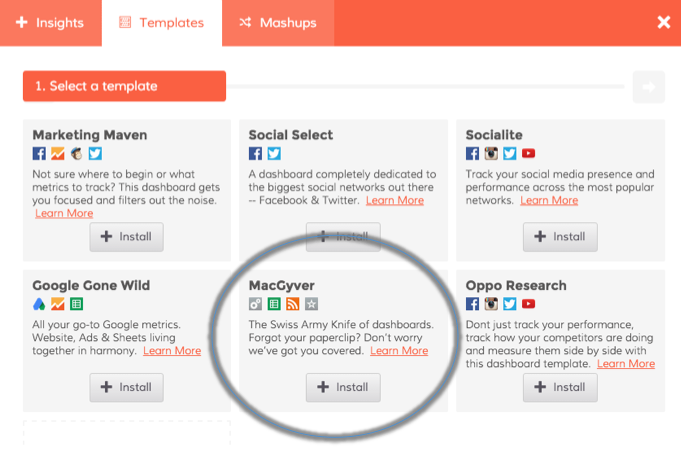
Dasheroo's MacGyver dashboard template

Connect your accounts if you haven’t done so yet.
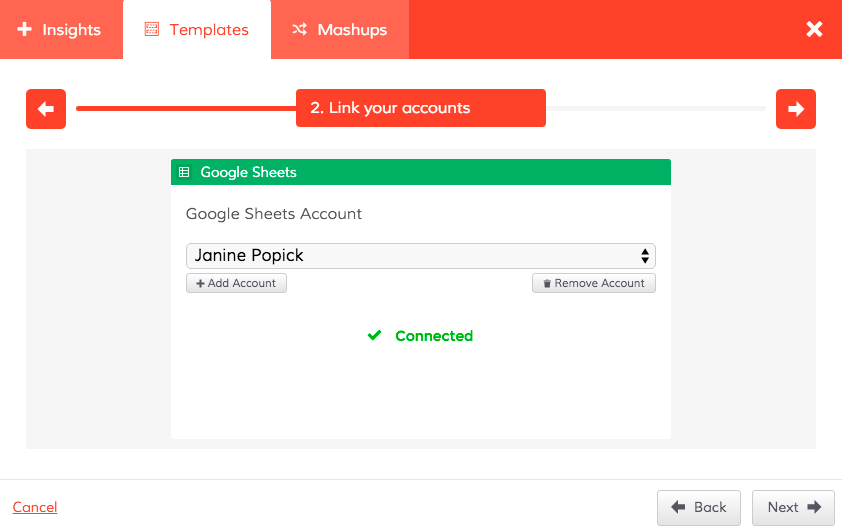
Screen to connect your accounts in your Dasheroo MacGyver dashboard template.

Voila! You’ve got your Swiss Army knife dashboard!
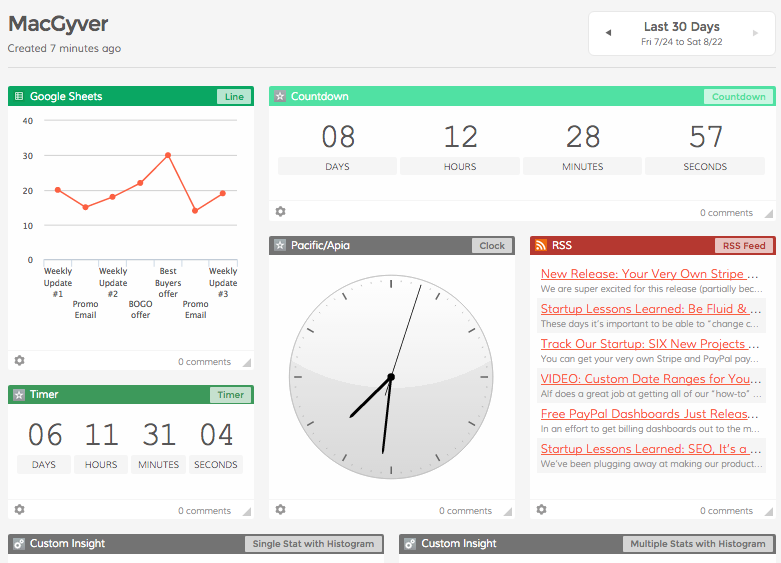
Your very own Dasheroo MacGyver business dashboard.

Go get your own free MacGyver business dashboard at Dasheroo now!
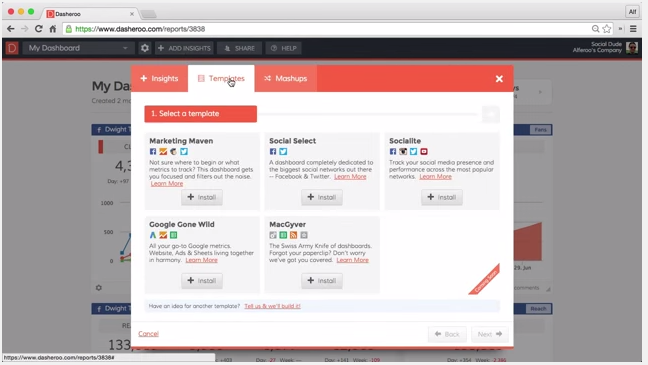
VIDEO: Set Up a Data Dashboard Using Dasheroo Dashboard Templates

If you haven’t seen our dashboard templates in action yet you won’t believe your eyes! You can have a complete dashboard depending on what metrics you want to start with in minutes using our templates. Alf is here to tell you just how, in a 1-minute 45-second video.

VIDEO: How to use Dasheroo's business dashboard templates.

Check out our other amazing videos…

The Perfect Social Media Dashboard: The Socialite

Social Media is either something you love, love, love for your business or a complete thorn in your side! If you’re anything like us it’s a love fest with social media but we’re ok if you don’t love it so much, it certainly takes some time to devote to it to make it work.

On top of it all trying to track down what actually IS working and what isn’t is a real time suck, for us anyway. So when we really looked at what we needed to track here internally we thought “hmmm, if we need to consolidate our social media marketing metrics so does everyone else, let’s make a dashboard template!”

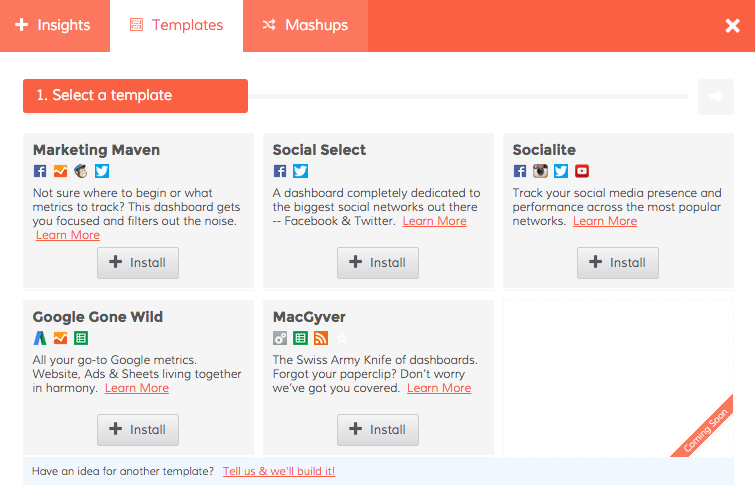
So without further adieu, simply click on Add Insights and Templates in the top of your Dasheroo menu and you’ll see this:

Dasheroo's social media marketing dashboard

Select “Socialite” if you need to see your metrics for Facebook, Instagram, Twitter and YouTube in an instant!

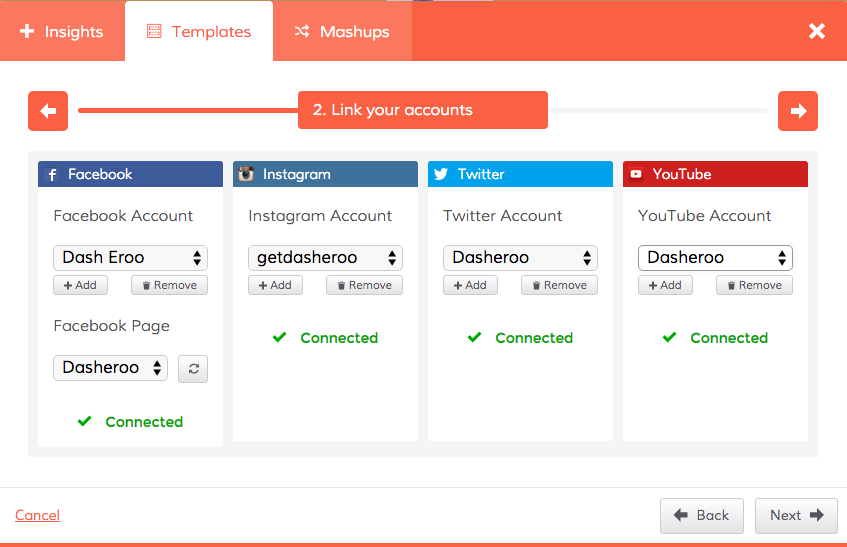
Dasheroo's Social Media Marketing dashboard template


Click to connect all of your social media accounts and you’ve got a fancy social media mix of awesome insights. You can add to this dashboard if you think the insights we selected don’t meet your needs or add any other application that makes sense like Google Analytics Sessions or LinkedIn insights.


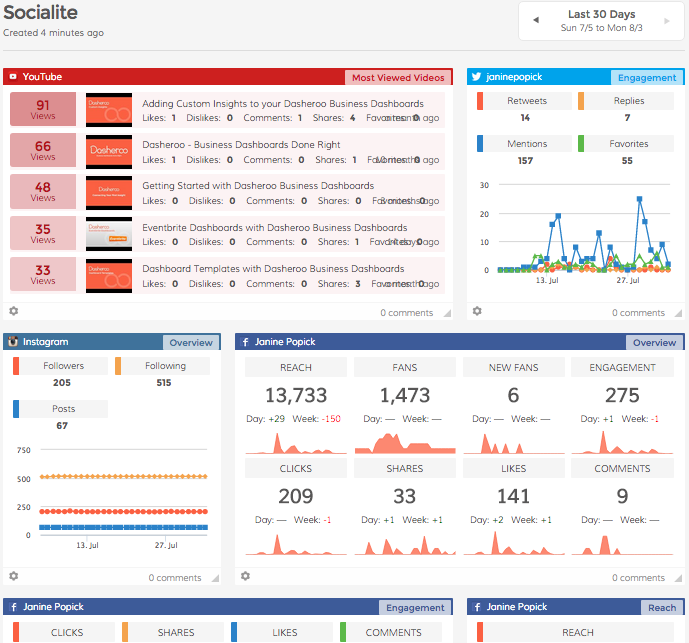
Dasheroo's social media marketing dashboard


There you have it, a free social media dashboard in an instant!