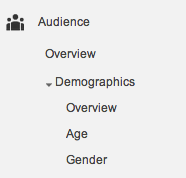
Under Audience, you’ll now see Age and Gender reporting in your Google Analytics.
Google Analytics has a pretty cool demographics report available to all users. You just need to install it in your Google Tag Manager or have your admin turn it on for you.
What you’ll get is pretty amazing, you’ll now know age ranges and gender of who is visiting your site!
“Pretty cool!” you say “But how do I know it’s real?”
Google gets this data when they store an advertising cookie in a visitor’s browser. This helps them understand the websites people are visiting. Creepy huh? They use this information to display advertising based on who you are and what might appeal to you. So if you’re visiting a ton of sites that female visitors visit you might be categorized as female. Is it 100% correct? No way, nothing is.
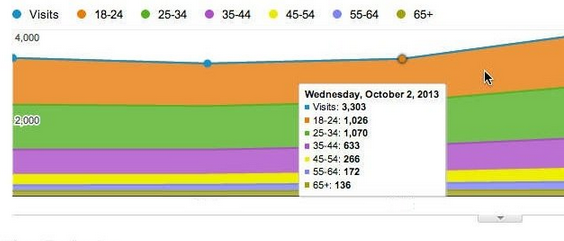
See the gender and age ranges as your visitors visit your site.
“Ok,” you say, “But what the hell can I do with this?”
Well you can start to get to know who is really visiting your site. Then tailor your advertising to who IS visiting or to who you WANT to be visiting your site. You might even set up goals in Google Analytics that track things like people that buy from you or people that sign up to a form. Then you’ll begin to understand the age and gender of the people visiting compared those who are converting. They may not be one in the same!
So set it up, it’s free, start to track this pretty cool information and see what the possibilities are for you to use it!