













LinkedIn, a professional networking site, allows its members to create business connections, search for jobs, and find potential clients.
Available Linkedin Insights
Total Connections (Personal)
View the total number of new Personal Connections by day.
Recent Updates (Personal)
View your most recent Personal Status Updates with total Likes and Comments.
Highest Engagement Updates (Personal)
View the top Personal status updates that generated the highest engagement by Likes and Comments.
Total Recommendations (Personal)
View the total Personal recommendations you've received by day.
Total Followers
View the total number of Company Page Followers by day.
Recent Updates
View the most recent Company page updates with total number of Likes, Comments, Shares, Clicks and Impressions. This also includes engagement rate for each update. Engagement rate = Likes + Comments + Shares + Clicks ÷ Impressions.
Highest Engagement Updates
Top Company Page updates that generated the highest engagement. Engagement Rate = Likes + Comments + Shares + Clicks ÷ Impressions.
Engagement
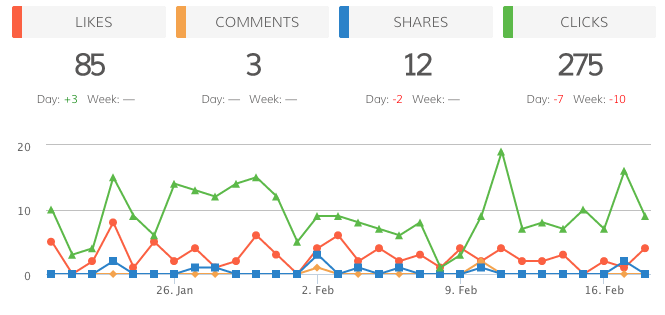
View an overview of your Company Page engagement over time by day. This includes Likes, Shares, Comments and Clicks.
Engagement Rate
View your engagement rate for your LinkedIn Company page by day. Engagement rate = Likes + Comments + Shares + Clicks ÷ Impressions.
Impressions
Your company update impressions over time, with daily and weekly trending.