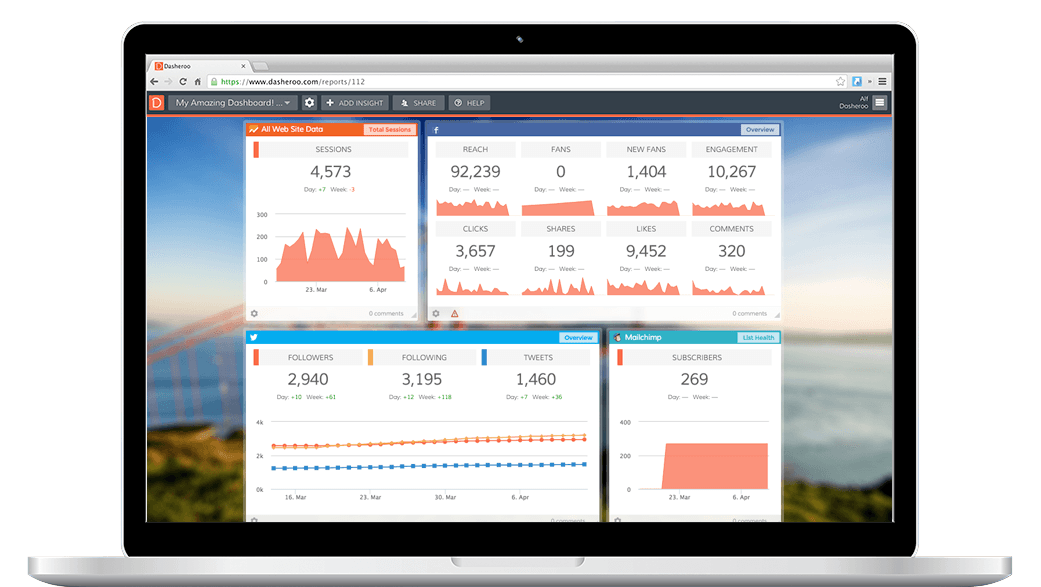
We like the MozBar. Why? Because it only appears in our browser when we want it to, it’s not invasive and it gives us a very quick snapshot of SEO Stuff.
What’s this SEO Stuff we speak of?
It tells us quickly what the page authority and number of inbound links on a given webpage. Why is this good?
Check out a page for potential backlink to a site: Say you want to check out a page you were going to try to get a backlink from. As soon as you go to that website you get its page authority and their number of backlinks. If they have a ton of links pointing back to them but the page authority is too low (the scale is 0-100), you might not want to waste your time. They might have some pretty gnarly sites pointing to them which will do nothing for you. Since we just started in March ours is at 19. It’s quicker to move up when you’re low by producing some great content. It’s harder when you have a higher page authority.

At Dasheroo we’re only 3 months old and already at 19. Now it’s time to tackle those inbound links!
Check out a competitor’s SEO Stuff: When you do a search on a competitor you can look at the page authority of their pages, check out their backlinks and get some ideas of how you might (or might not!) approach boosting your page authority. For instance we looked up a competitor and found that they had some amazing backlinks. We’re contacting them now to see if they’d be interested in featuring us.
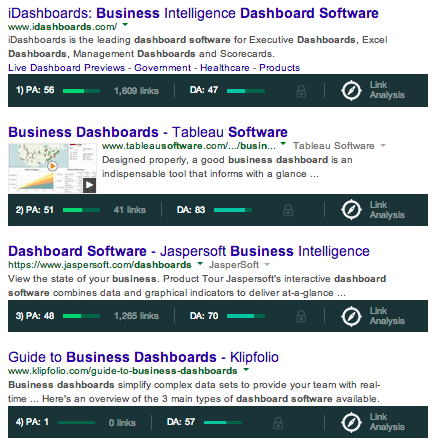
When we type our keyword “business dashboards” the top companies are shown WITH the MozBar information. We get a quick snapshot of where we fall.
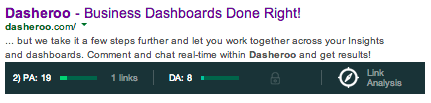
Judging from the fact that we’re still new and don’t have a product released yet, we think we’re doing just fine!
This was just a quick snapshot of the MozBar and how we use it. For a more in-depth “how-to” check out The Ultimate Guide to the MozBar SEO Toolbar. Download the MozBar extensions for Firefox and Chrome.