GOOOOAAAALLLLL! Oh. Sorry maybe it’s just us getting excited about the World Cup. But hey, Google Analytics goals can be pretty darned scintillating too. Read on! We’ll take a Q&A approach to this one.
Q: What’s a goal in Google Analytics?
A: Goals let you set the criteria for a specific action that a website visitor makes. A conversion of some type. Cool thing? You can create about any conversion type that makes sense for your biz.
Q: What types of goals might make sense for my biz?
A: For starters, a sign-up for you newsletter, a download of a guide, a request for sales follow-up, or my favorite, a sale.
Q: I’m intrigued! Carry on.
A: So, once you set up a goal in GA, you’ll see conversion metrics, the number of conversions and even dollar value, (i.e. if you attribute a dollar value for a lead, that’ll show up. If you set an average order value for a sale, that’ll show up too.) Now, for e-commerce tracking to work, you have to place a piece of javascript code on your shopping cart (BigCommerce, Shopify, etc.) or website. We don’t get into that now, but you can read more about e-commerce tracking here.
Q:OK, ok, enough rambling, I’m sold. How do I set up a goal in Google Analytics?
A: It’s actually pretty easy. Let’s start with a basic ‘sign-up for my newsletter’ example, shall we? Here goes:
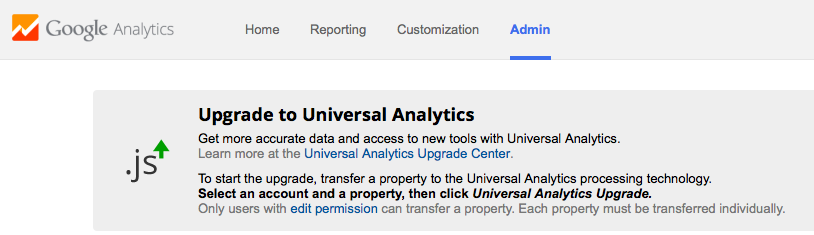
1. In GA, click on ‘Admin’ and select an account property (your website)
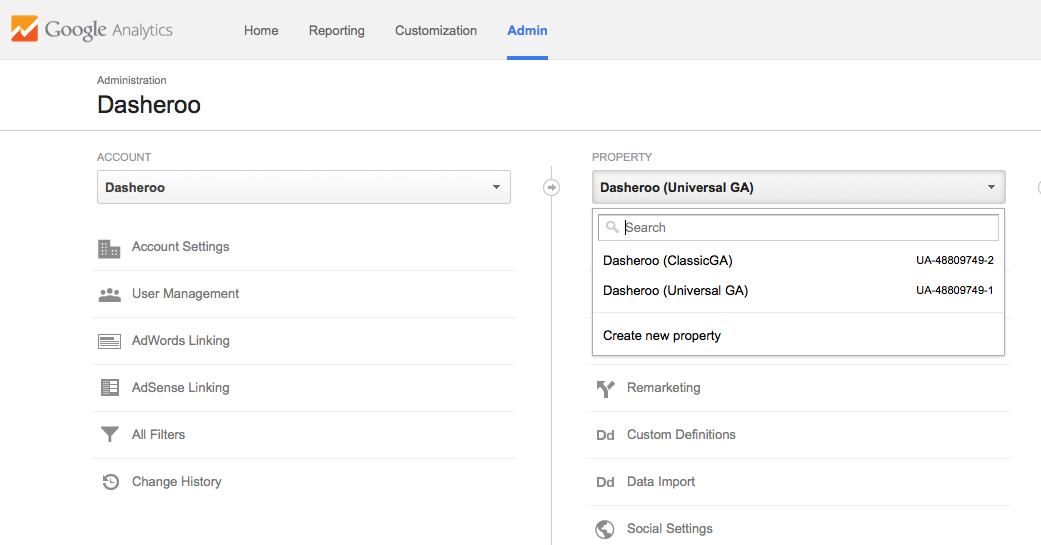
2. Then, click ‘Goals’ and then select your Goal (for our example, ‘sign up’). You can create all types of goals, from pre set ones that Google offers (called ‘templates’) for revenue, acquisition (account creation), inquiries (call me, live chats, guide downloads) or engagement (viewed a video, signed up for a list) to custom goals . We’ll save the more advanced and custom goal set-up for a future post. So for our example, we select ‘Sign Up’
3. On the next screen, just paste the URL of your ‘thanks for signing up’ page.
And voila! Your first goal is set up and ready to measure your success. Google Analytics allows you to set up to 20 goals, so don’t stop with just one. They’re kind of addictive, and really valuable in measuring the success of your website and business objectives. Data is fun!
Like we said, we’ll dive into more advanced Google Analytics Goal set-up in upcoming posts, so stay tuned.