
If you’ve been thinking about testing out Twitter Lead Generation Cards, here’s a quick how-to, as we recently did a small test. We love testing. And we really love generating leads! Here are the basics:
First, have a Twitter account.That helps:) Then log-in and go to ads.twitter.com. You’ll see the interface.
a) Select ‘cards’ from the ‘Creatives’ tab:

b) Similar to Google Adwords, fill in some basic info:
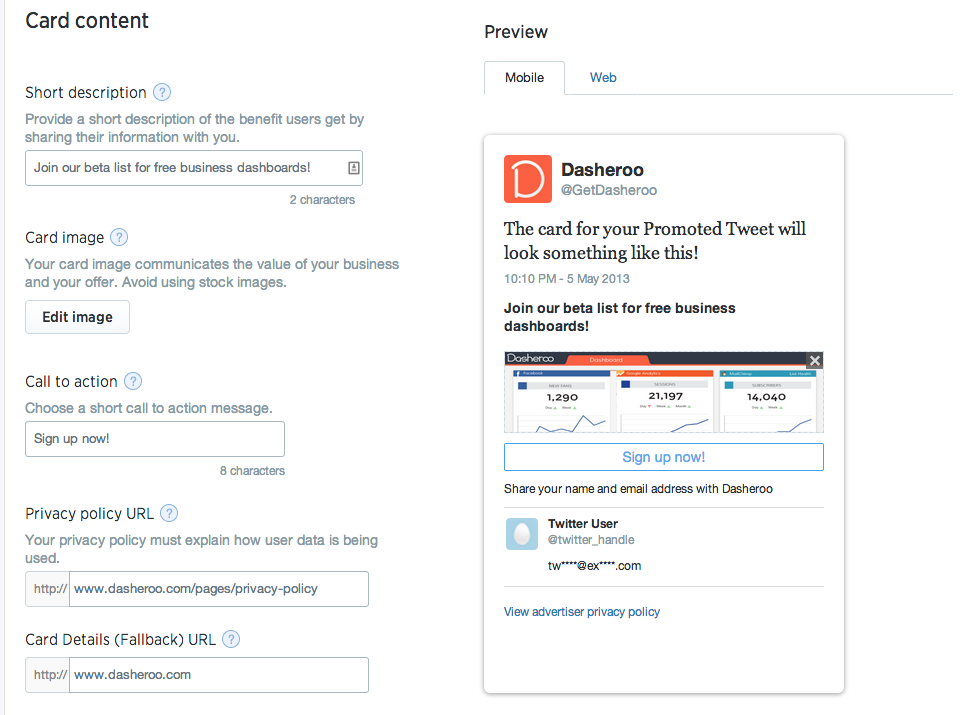
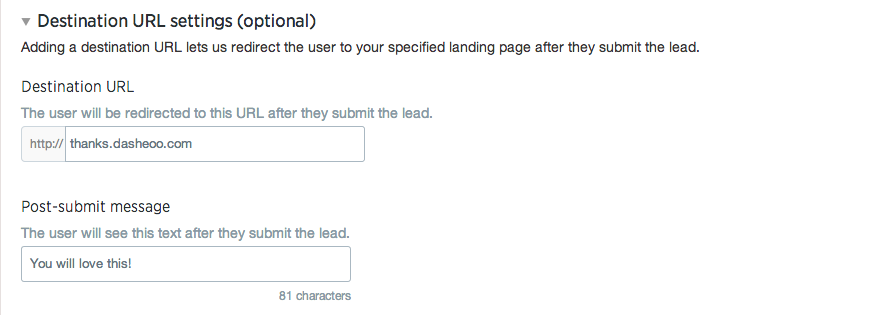
c) Then, if you want to specify a confirmation landing page and any ‘thank you’ or confirmation copy you can add it here:
d) The most important step is selecting your audience! Here’s what we did to target:
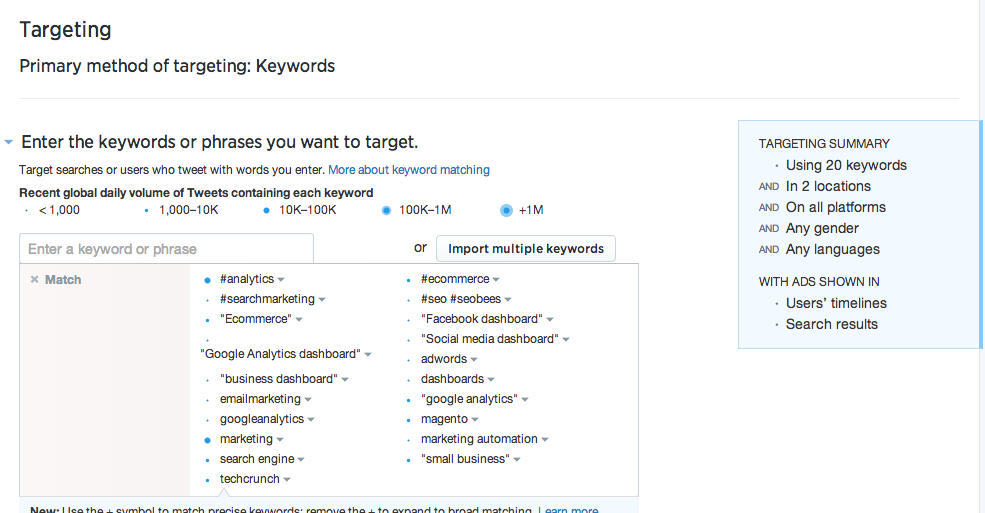
This is the audience we targeted
e) Set your budget and timing and LAUNCH! Just like Adwords you have good control over your spend.
Now, get some leads and Always Be Closing!
Next? How to measure your success with Twitter Lead Generation Cards. How’d they work for Dasheroo? We’ll give you the deets!